> ## Documentation Index
> Fetch the complete documentation index at: https://ijiajia.art/llms.txt
> Use this file to discover all available pages before exploring further.

# 使用模型

> 使用公共模型的基础操作

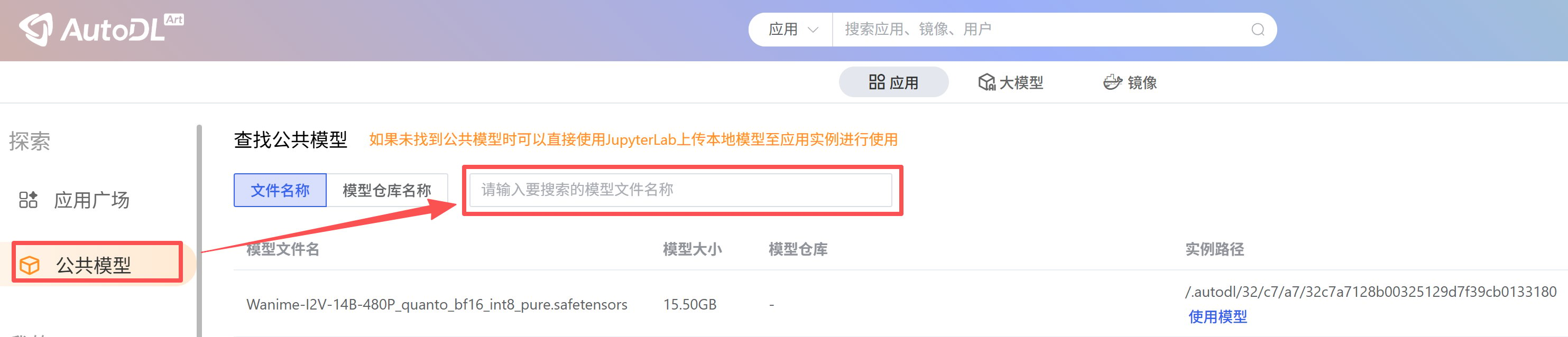
如果你需要某个模型时，可以首先查找是否有其他创作者上传的公共模型，如果没有再考虑使用JupyterLab上传自己的模型。

## 第一步：查找公共模型

<img src="https://mintcdn.com/aa-55ff8824/VG8hMr-DV2gD-Mi8/images/data/image_2026-06-18_153427_951.png?fit=max&auto=format&n=VG8hMr-DV2gD-Mi8&q=85&s=d5dd2486c9ef40789846d87a8fb9f910" alt="image_2026-06-18_153427_951" width="2966" height="638" data-path="images/data/image_2026-06-18_153427_951.png" />

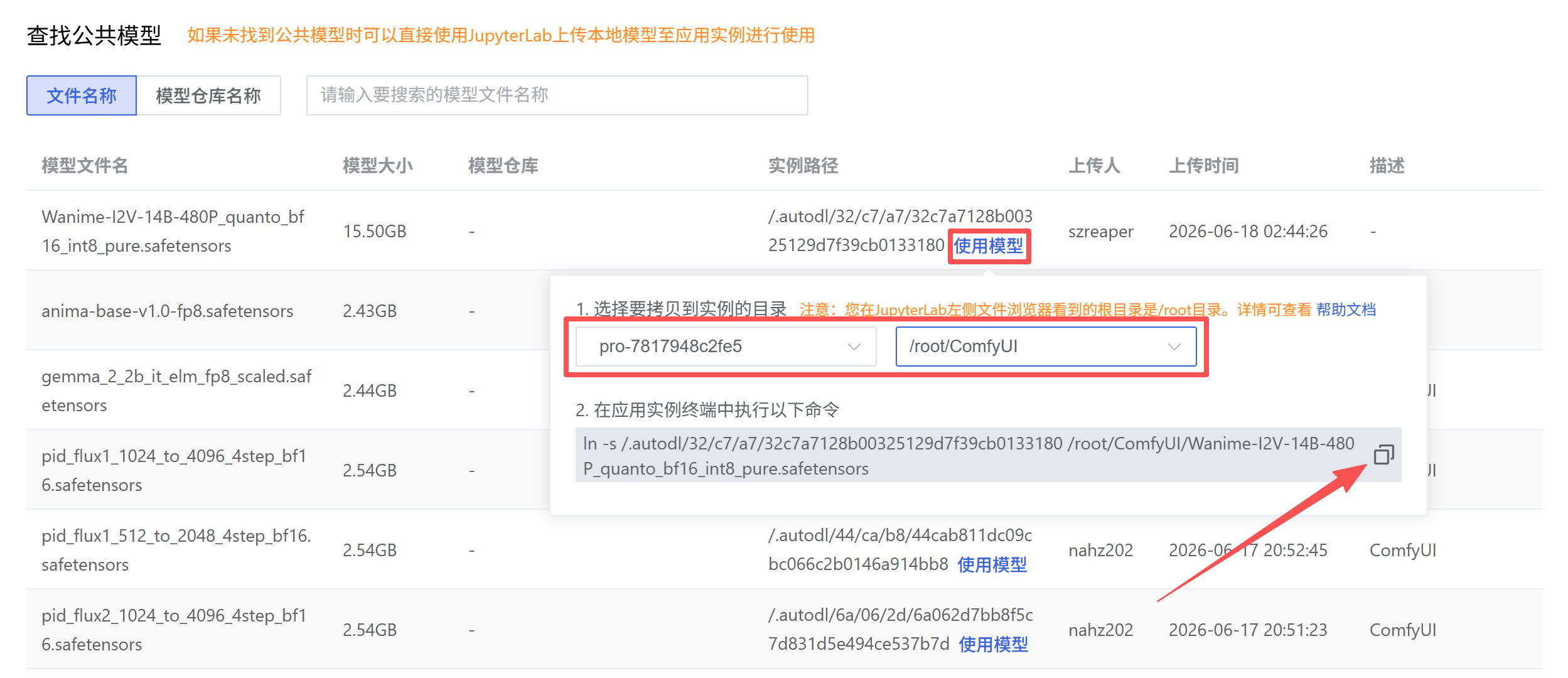
## 第二步：拷贝模型到需要放置的目录

在使用模型的弹窗中，选择要拷贝到实例的目录（注意实例需要开机），完成后点击复制按钮拷贝命令。

<img src="https://mintcdn.com/aa-55ff8824/VG8hMr-DV2gD-Mi8/images/data/image_2026-06-18_160300_506.png?fit=max&auto=format&n=VG8hMr-DV2gD-Mi8&q=85&s=259824b501428a476af1ebad9a534e64" alt="image_2026-06-18_160300_506" width="2498" height="1080" data-path="images/data/image_2026-06-18_160300_506.png" />

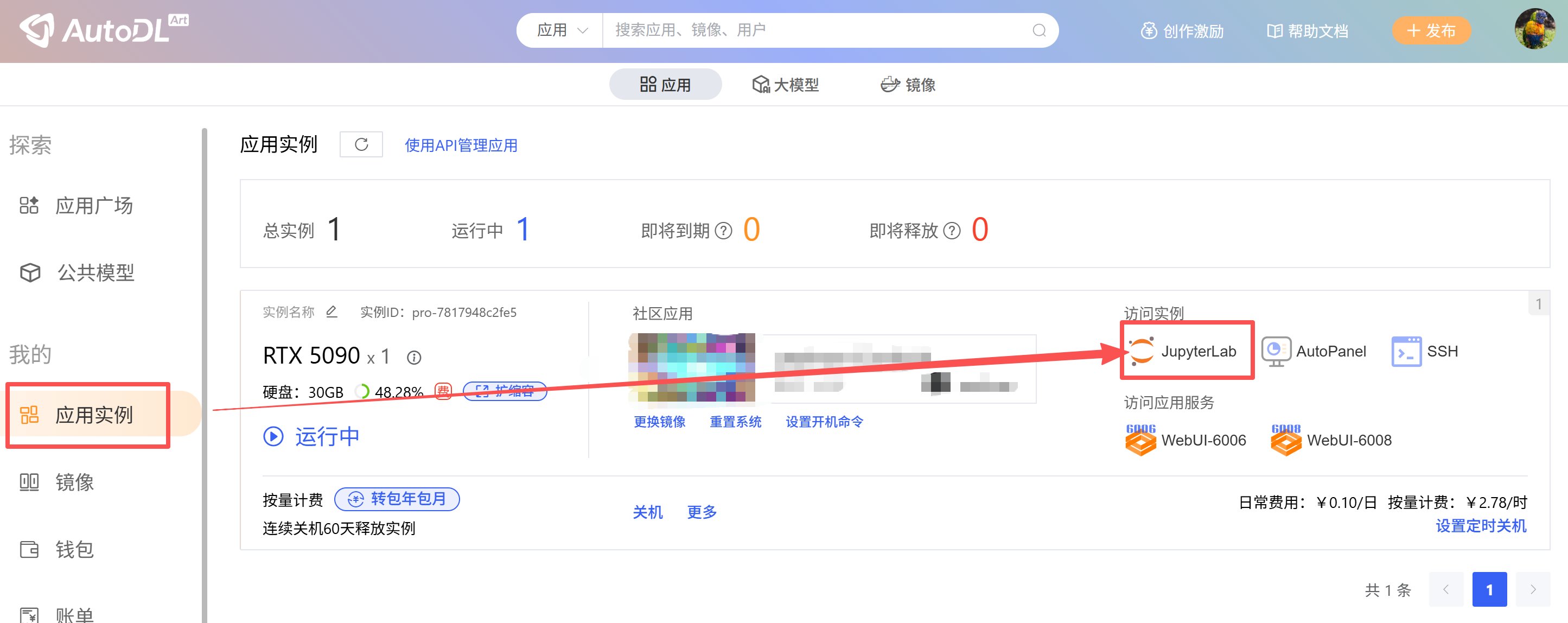
## 第三步：在实例中执行命令完成拷贝

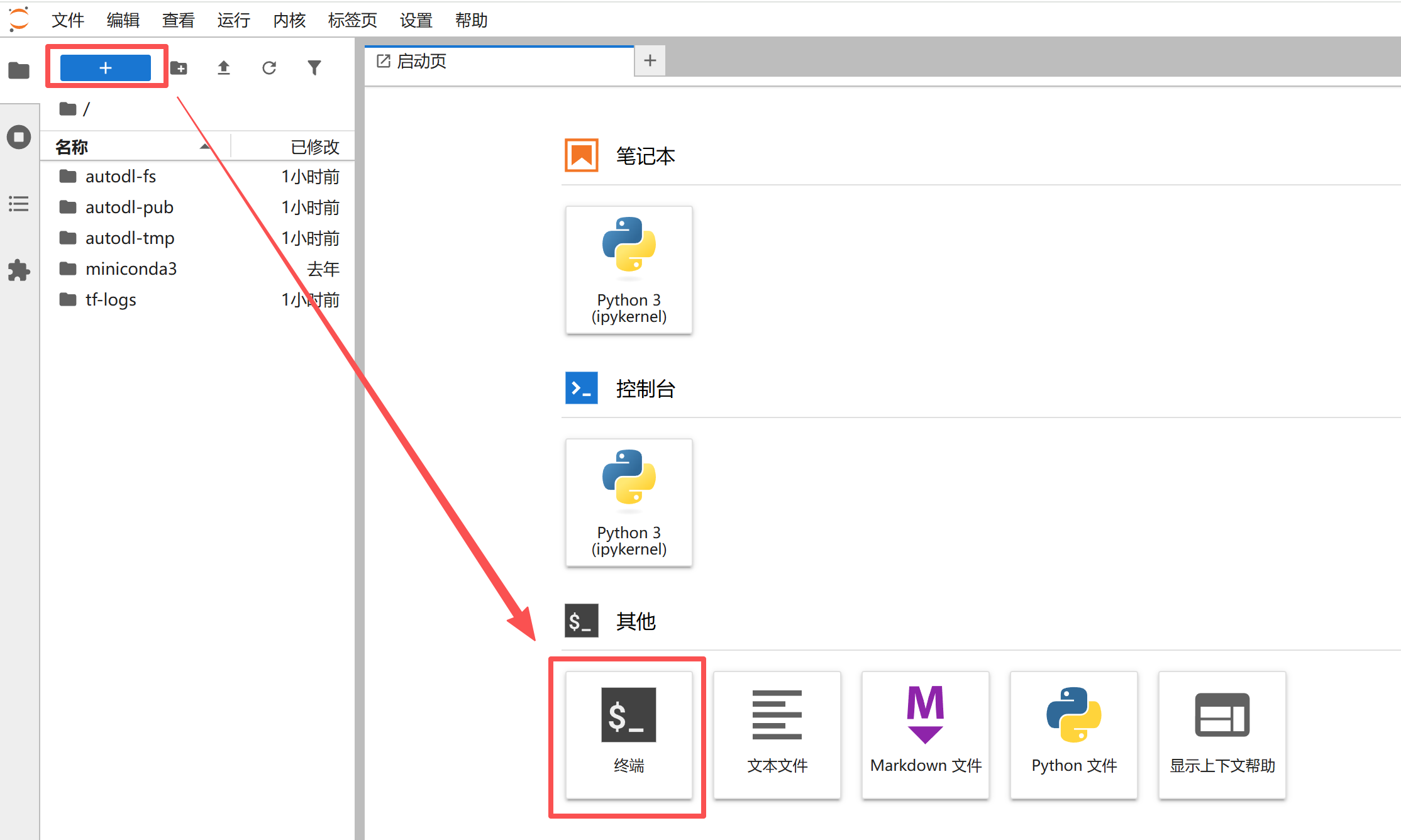
打开正在运行中的实例的JupyterLab，然后打开终端，最后执行第2步中的命令。

<img src="https://mintcdn.com/aa-55ff8824/VG8hMr-DV2gD-Mi8/images/data/image_2026-06-18_160430_600.png?fit=max&auto=format&n=VG8hMr-DV2gD-Mi8&q=85&s=95847fa9df9205d61548e240971ab4f6" alt="image_2026-06-18_160430_600" width="2890" height="1148" data-path="images/data/image_2026-06-18_160430_600.png" />

<img src="https://mintcdn.com/aa-55ff8824/VG8hMr-DV2gD-Mi8/images/data/image_2026-06-18_163956_913.png?fit=max&auto=format&n=VG8hMr-DV2gD-Mi8&q=85&s=7ccbf32aba08a53d0da090719e7142c4" alt="image_2026-06-18_163956_913" width="2228" height="1336" data-path="images/data/image_2026-06-18_163956_913.png" />

<img src="https://mintcdn.com/aa-55ff8824/VG8hMr-DV2gD-Mi8/images/data/image_2026-06-18_160814_012.png?fit=max&auto=format&n=VG8hMr-DV2gD-Mi8&q=85&s=c2b9148edb92a757beb201e84f289989" alt="image_2026-06-18_160814_012" width="2350" height="194" data-path="images/data/image_2026-06-18_160814_012.png" />

如果对命令不熟悉可以再次确认是否在对应目录下有对应文件存在。