> ## Documentation Index
> Fetch the complete documentation index at: https://ijiajia.art/llms.txt
> Use this file to discover all available pages before exploring further.
# AutoPanel
> AutoPanel 工具使用
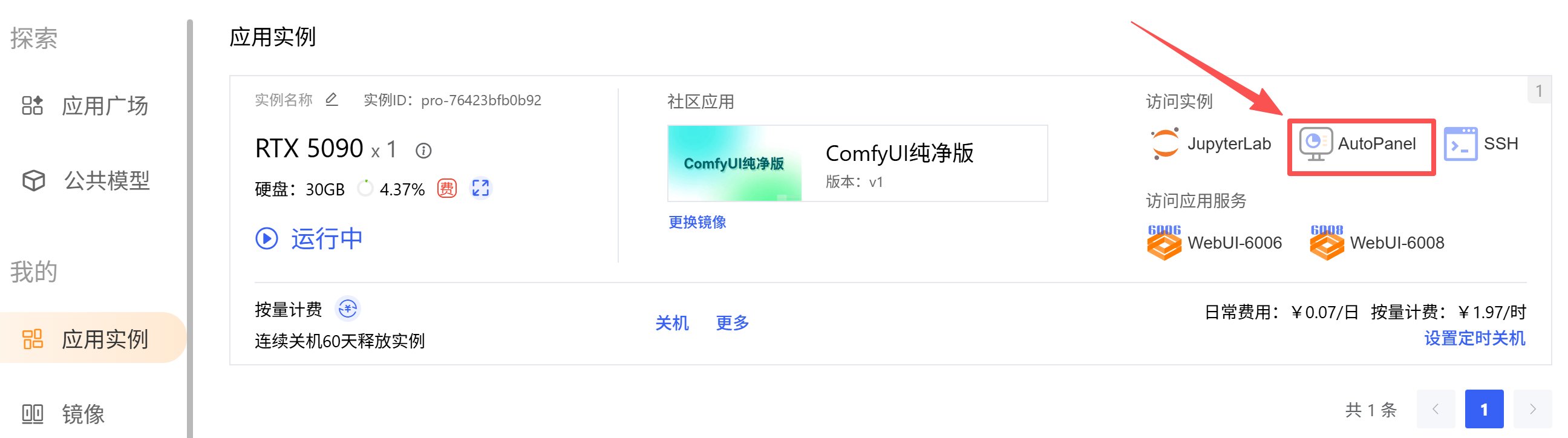
AutoPanel 是 AutoDL 自研工具,可以实现对实例的一些便捷操作,比如:性能监控、公网网盘、实用工具。
进入 AutoPanel:「应用实例」 -> 「AutoPanel」
 ## 性能监控
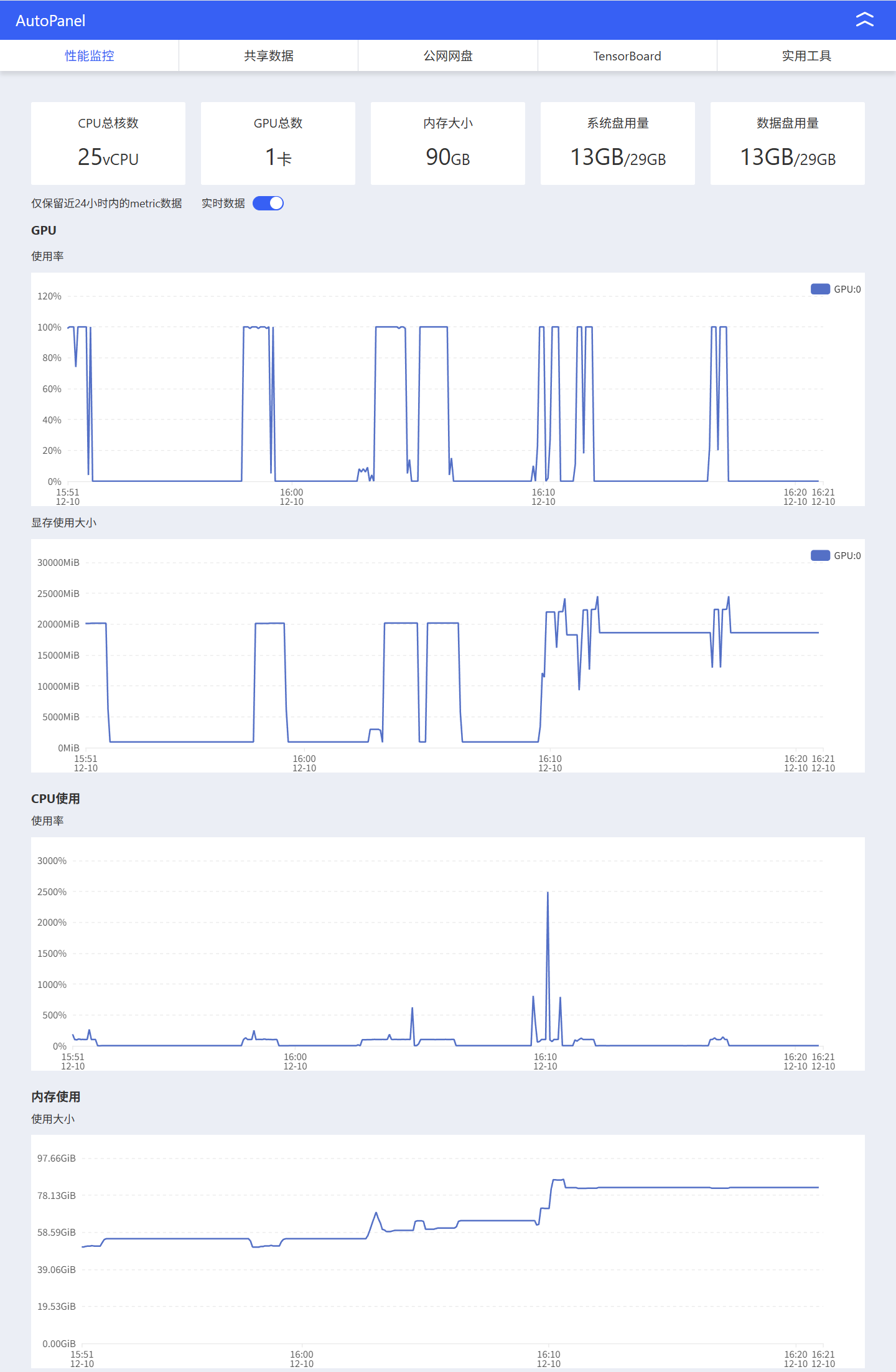
性能监控可以对实例内部硬件的监控信息,分别是 GPU 使用率、GPU显存、CPU使用率、内存和硬盘。
参数额外说明:
1. 5090 和 PRO6000 此类新卡因为新驱动存在问题,导致不能重置使用率,开机后可能监控上看有使用,实际上并未占用,直接运行程序调用显卡可以重置使用率。
2. 1vCPU=100%使用率,假如25vCPU,CPU最高使用率为2500%。
3. 内存使用超出限额程序将被kill。监控采样是有时间间隔的,可能没有采样到最顶端的地方就被killed了,观察监控里上升很陡峭的地方,可能就是内存爆掉的时刻。//todo 内存优化的机器
4. 如果程序运行结束显存或内存仍没有释放,说明有进程在占用,参考 显存/内存未释放 或重新开关机。//todo 常见问题链接
## 性能监控
性能监控可以对实例内部硬件的监控信息,分别是 GPU 使用率、GPU显存、CPU使用率、内存和硬盘。
参数额外说明:
1. 5090 和 PRO6000 此类新卡因为新驱动存在问题,导致不能重置使用率,开机后可能监控上看有使用,实际上并未占用,直接运行程序调用显卡可以重置使用率。
2. 1vCPU=100%使用率,假如25vCPU,CPU最高使用率为2500%。
3. 内存使用超出限额程序将被kill。监控采样是有时间间隔的,可能没有采样到最顶端的地方就被killed了,观察监控里上升很陡峭的地方,可能就是内存爆掉的时刻。//todo 内存优化的机器
4. 如果程序运行结束显存或内存仍没有释放,说明有进程在占用,参考 显存/内存未释放 或重新开关机。//todo 常见问题链接
 ## 公网网盘
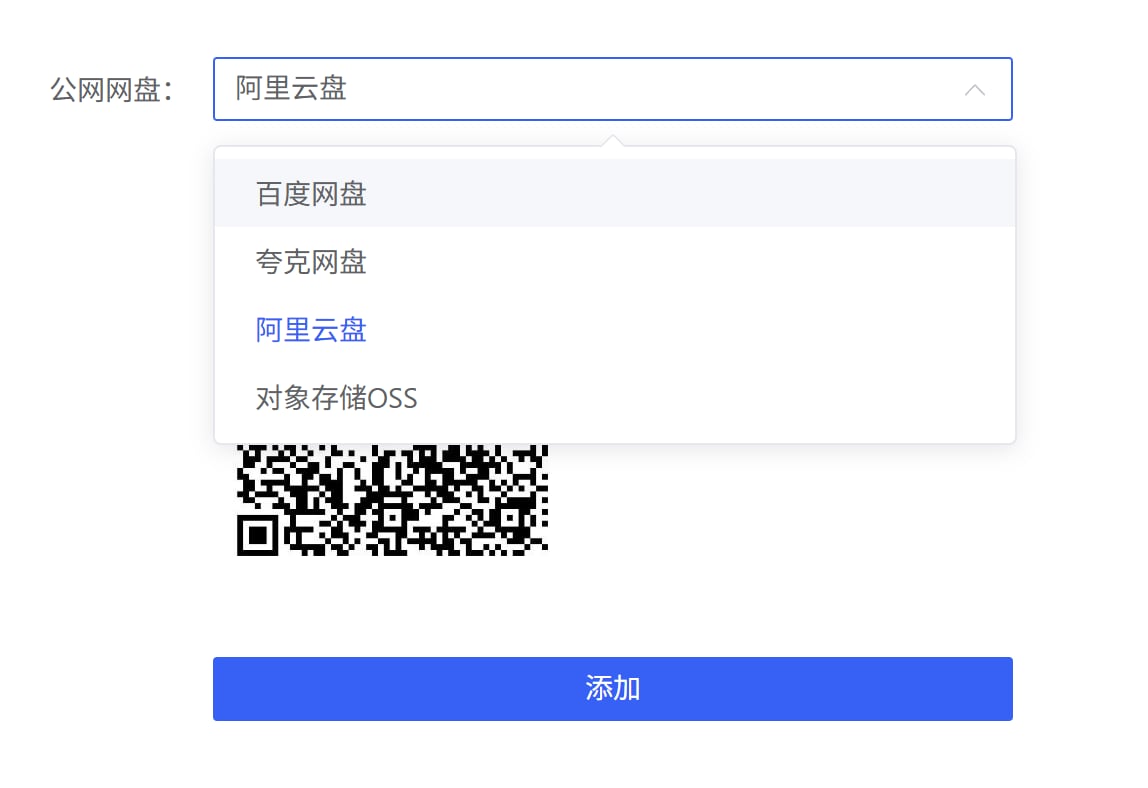
使用公网网盘可以借助阿里云盘、夸克网盘、百度网盘、对象存储OSS上传或下载数据。详见[公网网盘](/app/data/netdisk)。
## 公网网盘
使用公网网盘可以借助阿里云盘、夸克网盘、百度网盘、对象存储OSS上传或下载数据。详见[公网网盘](/app/data/netdisk)。
 ## 实用工具
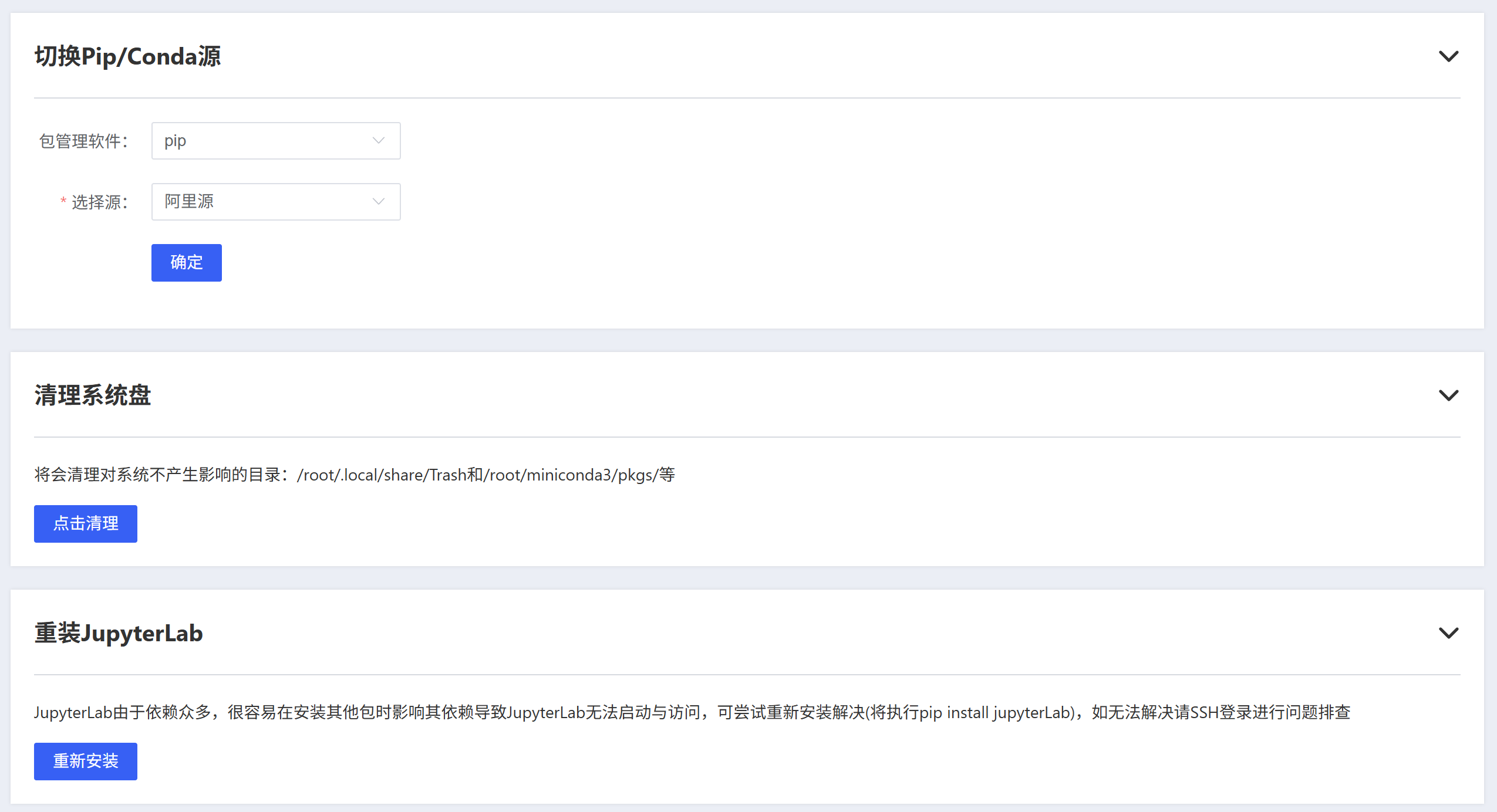
内置一些便捷工具,分别是切换软件源、清理系统盘、重装JupyterLab。
## 实用工具
内置一些便捷工具,分别是切换软件源、清理系统盘、重装JupyterLab。
 ### 切换软件源
pip、conda 和 apt 使用国内的源能加速下载依赖包,但是网络高峰时如果某个源较慢,那么可以切换其他源提高下载速度,特别是阿里云的源高峰时有限速。切换源方法:
### 切换软件源
pip、conda 和 apt 使用国内的源能加速下载依赖包,但是网络高峰时如果某个源较慢,那么可以切换其他源提高下载速度,特别是阿里云的源高峰时有限速。切换源方法:
 ### 清理系统盘
自动清理对系统不产生影响的目录:/root/.local/share/Trash和/root/miniconda3/pkgs/等。
如果自动清理不及预期,详见系统盘清理。//todo添加链接
### 重装JupyterLab
当 JupyterLab 无法启动与访问,可以尝试重新安装。
如果仍无法访问,详见 JupyterLab 无法访问。//todo添加链接
### 清理系统盘
自动清理对系统不产生影响的目录:/root/.local/share/Trash和/root/miniconda3/pkgs/等。
如果自动清理不及预期,详见系统盘清理。//todo添加链接
### 重装JupyterLab
当 JupyterLab 无法启动与访问,可以尝试重新安装。
如果仍无法访问,详见 JupyterLab 无法访问。//todo添加链接