> ## Documentation Index
> Fetch the complete documentation index at: https://ijiajia.art/llms.txt
> Use this file to discover all available pages before exploring further.

# 镜像操作

> 和镜像相关的基础操作

<Tip>当前AutoDL不支持导入外部镜像。</Tip>

如果您在一个实例中配置好了环境，在更换主机以及开新的实例时希望复用该环境，以及长期留存该环境以备日后使用，那么保存镜像将是最好的选择。此外还**支持共享镜像给其他用户**。

## 保存镜像

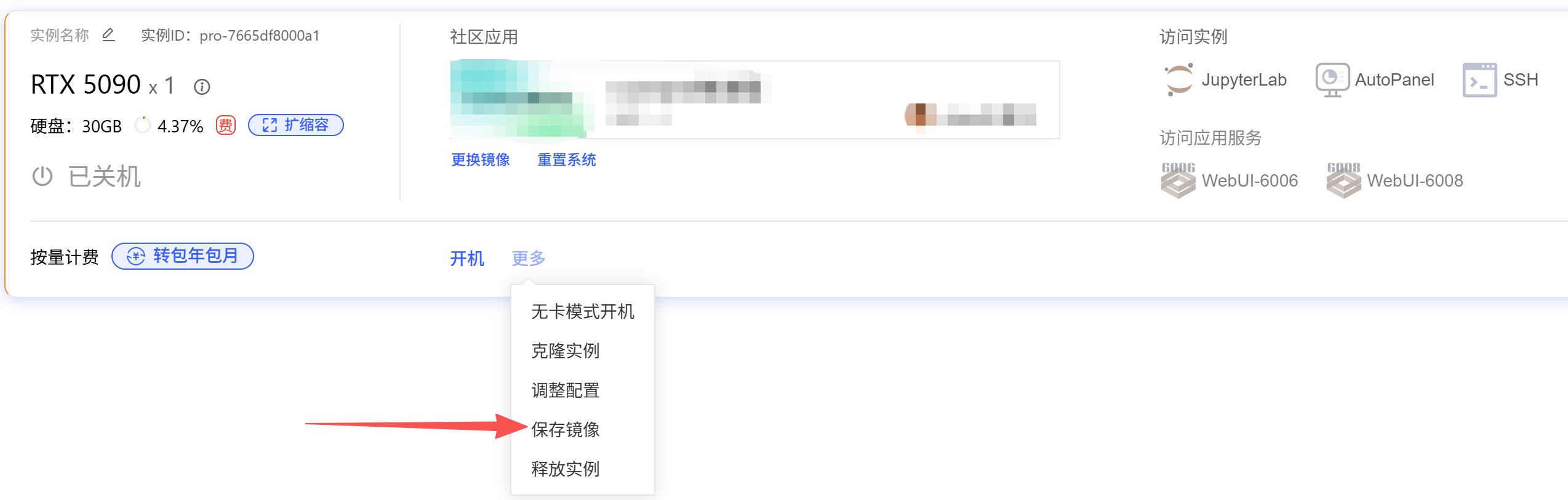
将实例关机后，在更多操作中点击「保存镜像」，则可以将该实例的整个系统盘保存下来（了解什么是[系统盘](/app/instance/env#实例中的目录))

<img src="https://mintcdn.com/aa-55ff8824/VG8hMr-DV2gD-Mi8/images/instance/image_2025-12-25_170751_525.png?fit=max&auto=format&n=VG8hMr-DV2gD-Mi8&q=85&s=8106755203d847c54bbb5e9b61650248" alt="image_2025-12-25_170751_525" width="2548" height="812" data-path="images/instance/image_2025-12-25_170751_525.png" />

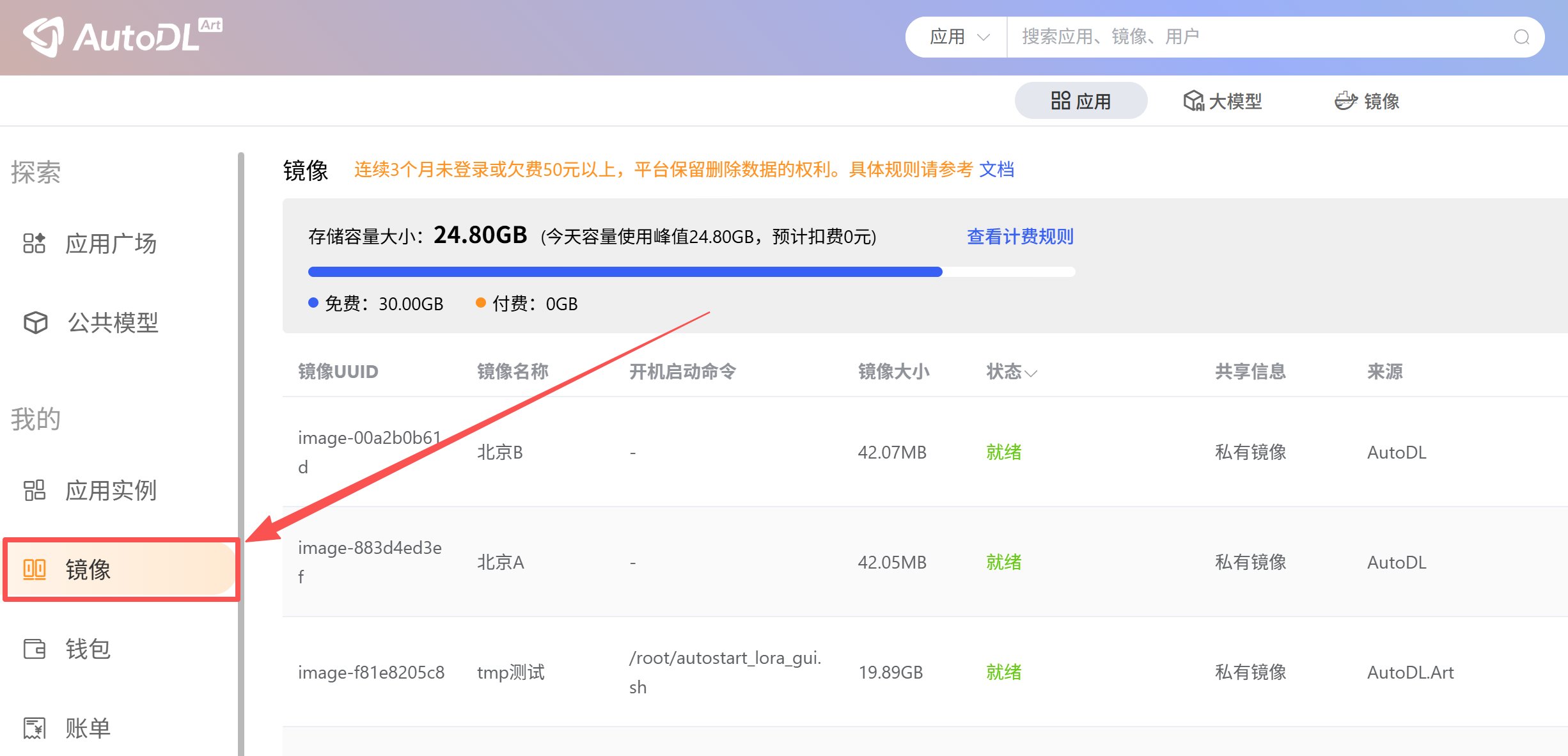
保存镜像后请在「应用」->「镜像」菜单中查看。

<img src="https://mintcdn.com/aa-55ff8824/VG8hMr-DV2gD-Mi8/images/instance/image_2026-06-22_162010_708.png?fit=max&auto=format&n=VG8hMr-DV2gD-Mi8&q=85&s=8ebe264f09b278573f07431643b4fbb1" alt="image_2026-06-22_162010_708" width="2452" height="1182" data-path="images/instance/image_2026-06-22_162010_708.png" />

## 加载镜像

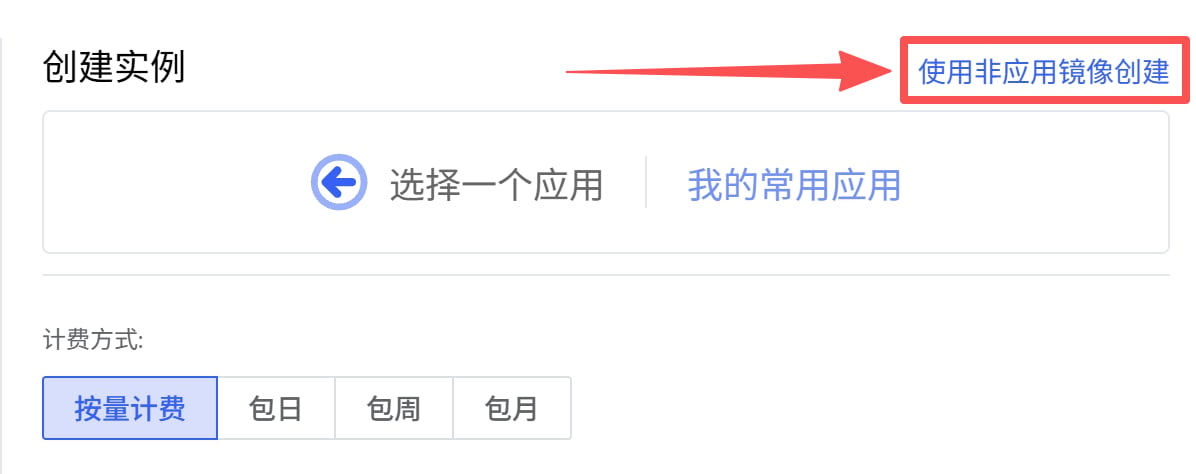
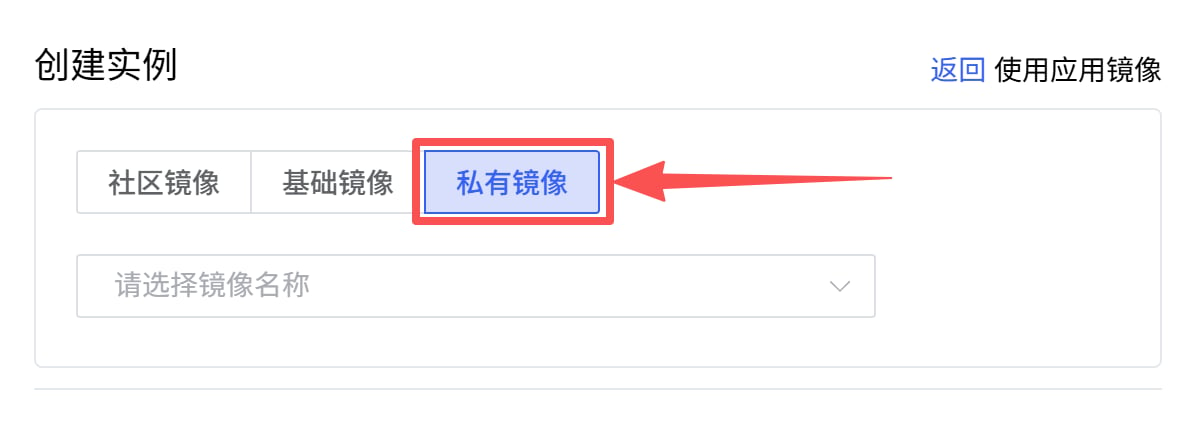
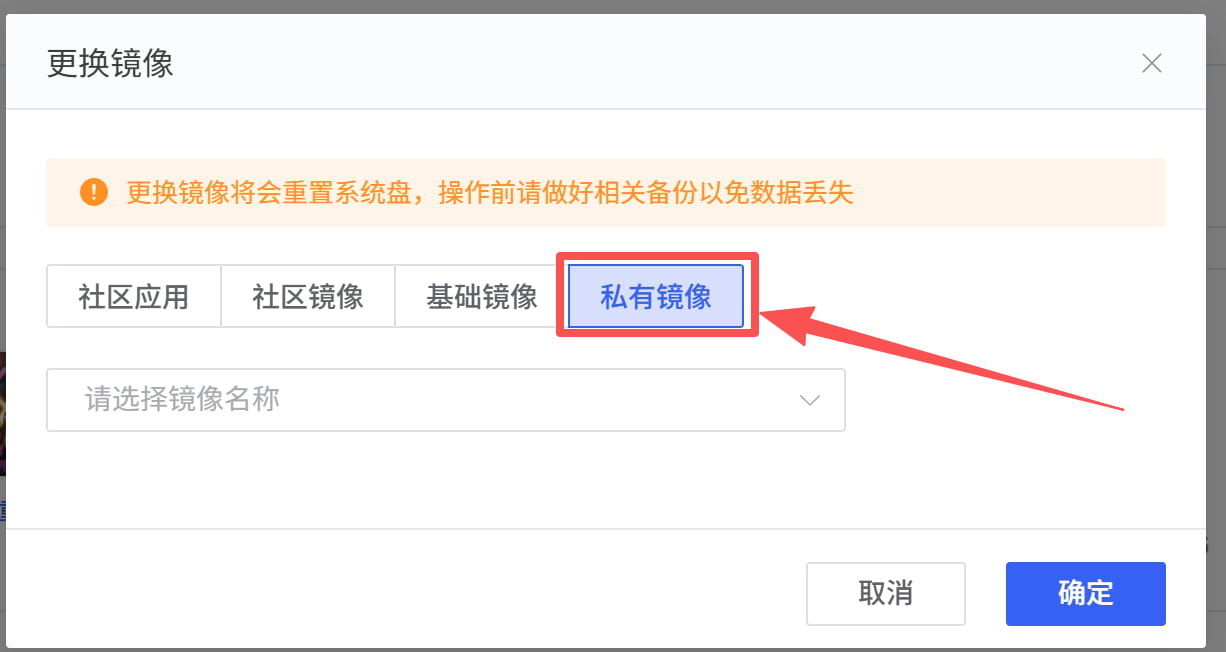
租用新实例或者老实例选择更换镜像时，选择自己保存的镜像，这样即可恢复原来实例系统盘中的所有内容。

<img src="https://mintcdn.com/aa-55ff8824/VG8hMr-DV2gD-Mi8/images/instance/image_2026-06-22_162323_338.png?fit=max&auto=format&n=VG8hMr-DV2gD-Mi8&q=85&s=261d7fa204f9e09a678980dc8161c290" alt="image_2026-06-22_162323_338" width="1196" height="474" data-path="images/instance/image_2026-06-22_162323_338.png" />

<img src="https://mintcdn.com/aa-55ff8824/VG8hMr-DV2gD-Mi8/images/instance/image_2026-06-22_162358_130.png?fit=max&auto=format&n=VG8hMr-DV2gD-Mi8&q=85&s=1d74dd467b313a215761517fd221bd12" alt="image_2026-06-22_162358_130" width="1198" height="422" data-path="images/instance/image_2026-06-22_162358_130.png" />

## 更换镜像

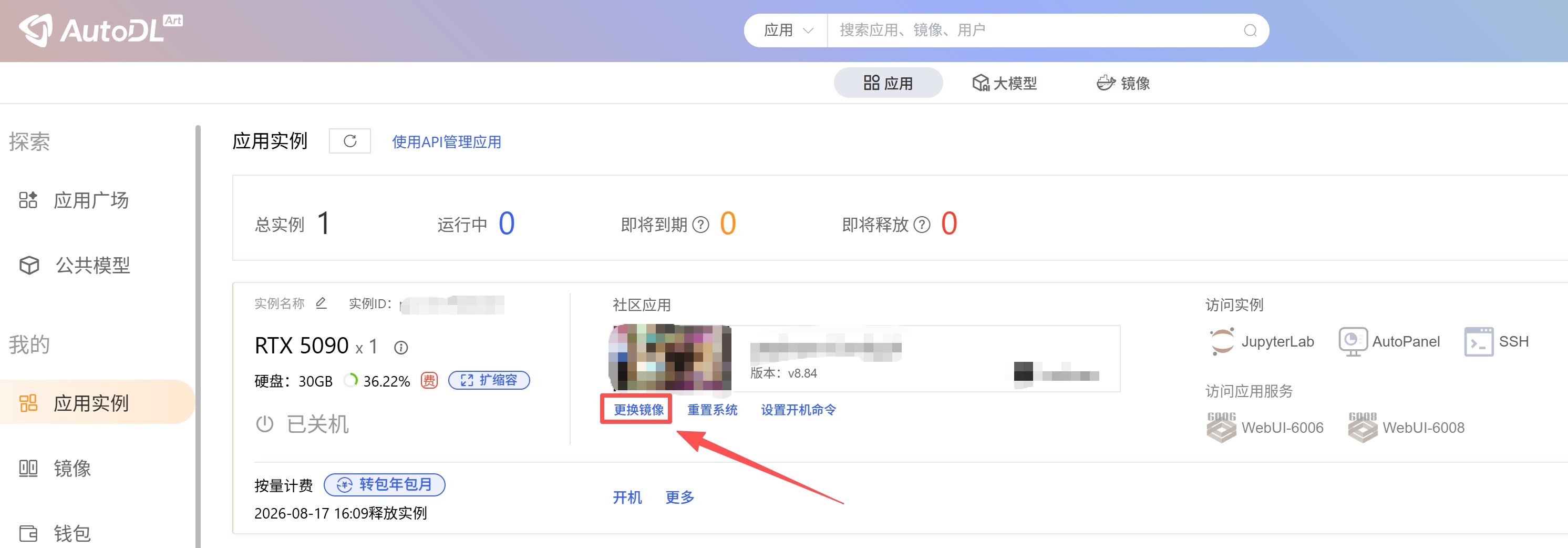
将实例关机后，在更多操作中点击更换镜像，更换镜像会**清空**系统盘，数据盘不受影响。（了解什么是[系统盘](/app/instance/env#实例中的目录))

<img src="https://mintcdn.com/aa-55ff8824/VG8hMr-DV2gD-Mi8/images/instance/image_2026-06-22_162600_890.png?fit=max&auto=format&n=VG8hMr-DV2gD-Mi8&q=85&s=93b819130a0349a298408436522da6cc" alt="image_2026-06-22_162600_890" width="2984" height="1042" data-path="images/instance/image_2026-06-22_162600_890.png" />

<img src="https://mintcdn.com/aa-55ff8824/VG8hMr-DV2gD-Mi8/images/instance/image_2026-06-22_162631_341.png?fit=max&auto=format&n=VG8hMr-DV2gD-Mi8&q=85&s=d6c5ee6dbe680fdbbebc11549900fe69" alt="image_2026-06-22_162631_341" width="1226" height="652" data-path="images/instance/image_2026-06-22_162631_341.png" />

## 重置系统

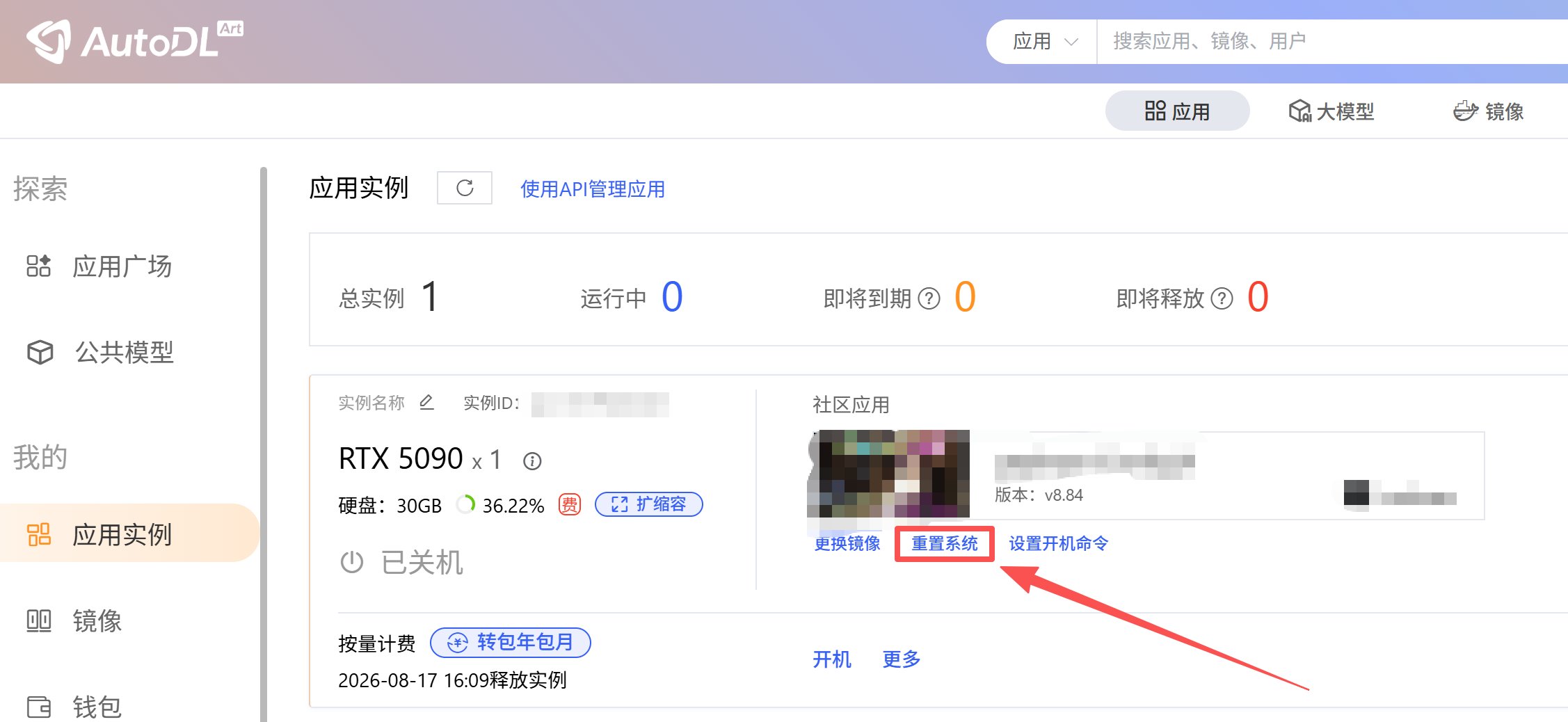
重置系统或更换镜像，都能将系统恢复至创建实例后的初始状态，注意如果使用的为社区镜像或者私有镜像，那么重置系统则重置为该镜像最初的状态，并非删除环境中的所有数据，因此系统盘仍然会有占用。

<img src="https://mintcdn.com/aa-55ff8824/VG8hMr-DV2gD-Mi8/images/instance/image_2026-06-22_163127_717.png?fit=max&auto=format&n=VG8hMr-DV2gD-Mi8&q=85&s=90063e0cecf26fb0fb3269848f3cb546" alt="image_2026-06-22_163127_717" width="2254" height="1038" data-path="images/instance/image_2026-06-22_163127_717.png" />

## 共享镜像

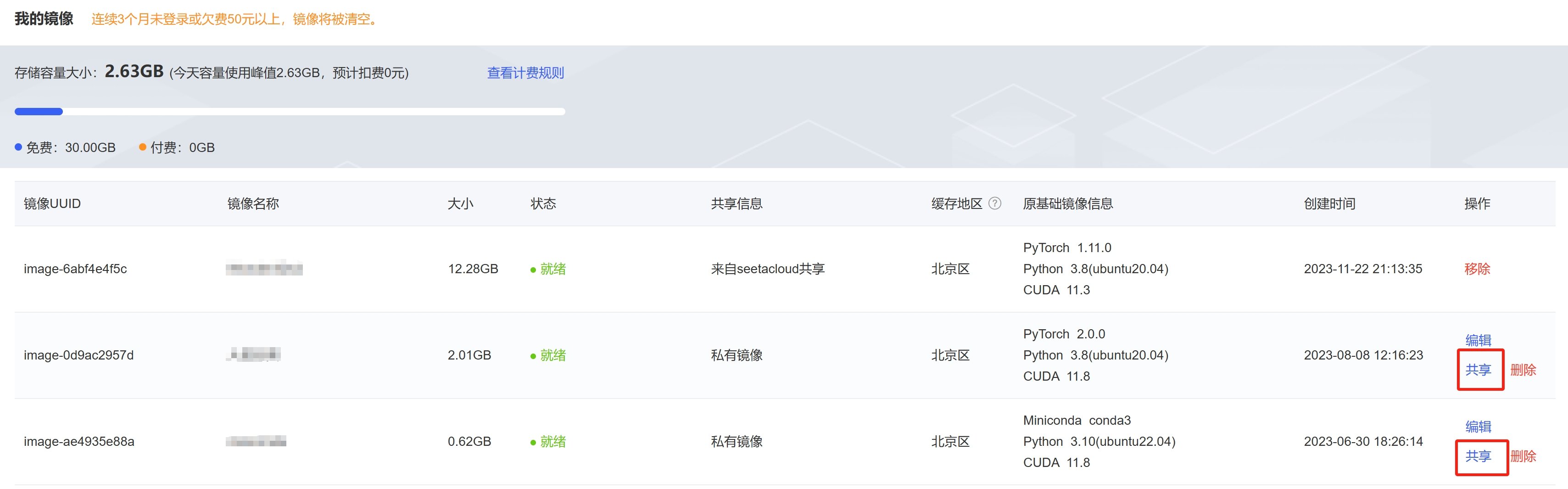
保存镜像后可以共享给其他用户使用。操作入口: [www.autodl.com](http://www.autodl.com) ->「控制台」->「镜像」在操作中点击「共享」，共享给指定的用户。

<img src="https://mintcdn.com/aa-55ff8824/VG8hMr-DV2gD-Mi8/images/instance/image_20250407172629.png?fit=max&auto=format&n=VG8hMr-DV2gD-Mi8&q=85&s=a0be17785cb93cf03704408822f35487" alt="image_20250407172629" width="3417" height="1065" data-path="images/instance/image_20250407172629.png" />

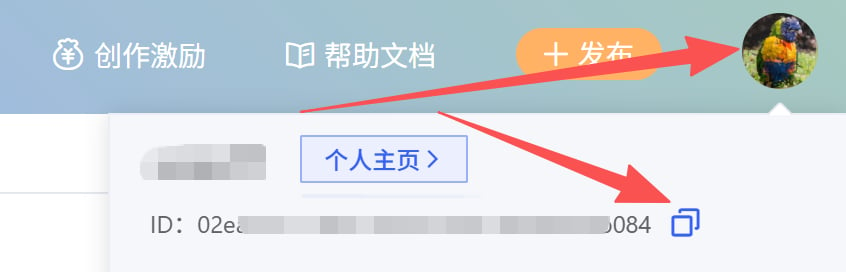
对方用户ID可在页头用户名下拉窗口下获取。

<img src="https://mintcdn.com/aa-55ff8824/VG8hMr-DV2gD-Mi8/images/instance/image_2026-06-22_163854_437.png?fit=max&auto=format&n=VG8hMr-DV2gD-Mi8&q=85&s=81478abcb1b74e4f9acc2eb49052f901" alt="image_2026-06-22_163854_437" width="846" height="272" data-path="images/instance/image_2026-06-22_163854_437.png" />