> ## Documentation Index
> Fetch the complete documentation index at: https://ijiajia.art/llms.txt
> Use this file to discover all available pages before exploring further.

# JupyterLab

> JupyterLab使用简介

<Tip>JupyterLab的工作目录为`/root`目录，而非`/`系统根目录。如需查看根目录`/`，可以进入终端使用命令行操作。JupyterLab官网：[https://jupyter.org/](https://jupyter.org/)</Tip>

## 基本功能介绍

### 进入jupyterlab

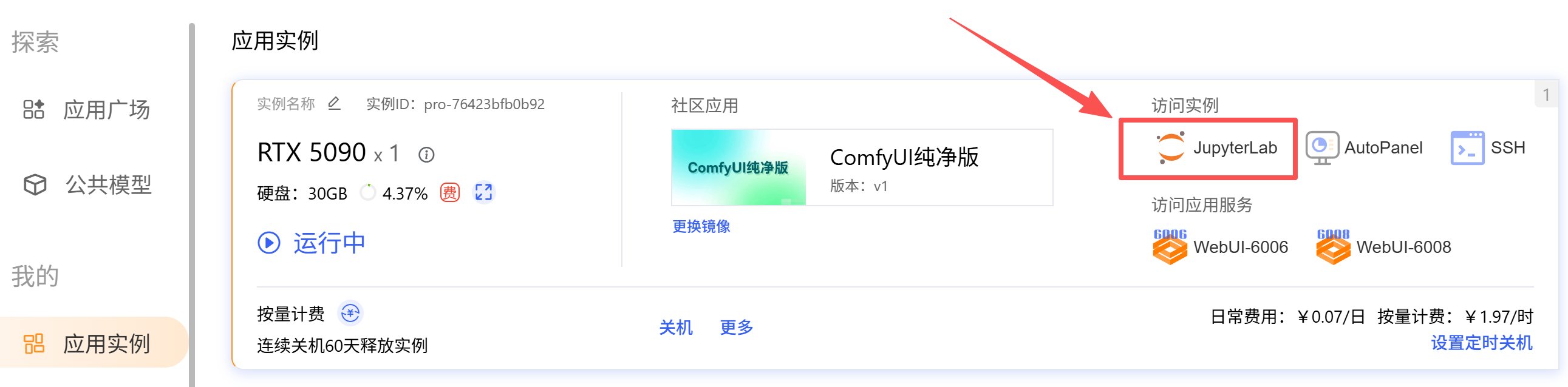
「应用实例」 -> 「JupyterLab」
<img src="https://mintcdn.com/aa-55ff8824/VG8hMr-DV2gD-Mi8/images/instance/image_2025-11-27_105420_303.png?fit=max&auto=format&n=VG8hMr-DV2gD-Mi8&q=85&s=232a5854285c1928e01bdb8e1149abad" alt="image_2025-11-27_105420_303" width="2582" height="638" data-path="images/instance/image_2025-11-27_105420_303.png" />

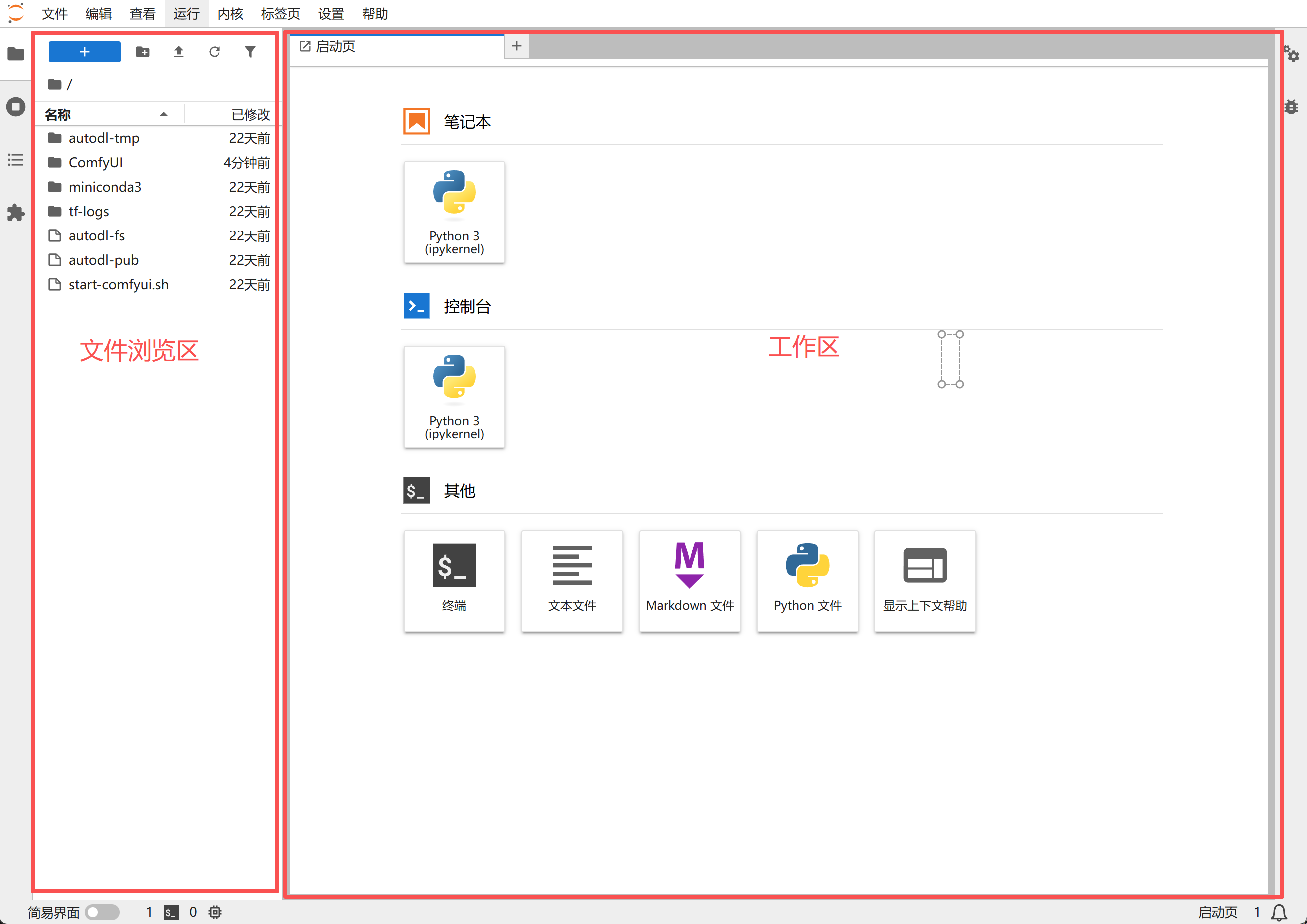
### JupyterLab界面说明

<img src="https://mintcdn.com/aa-55ff8824/VG8hMr-DV2gD-Mi8/images/instance/image_2025-11-27_162751_337.png?fit=max&auto=format&n=VG8hMr-DV2gD-Mi8&q=85&s=0ab57f5e0af0daf8a2f760df70486ac2" alt="image_2025-11-27_162751_337" width="2620" height="1852" data-path="images/instance/image_2025-11-27_162751_337.png" />

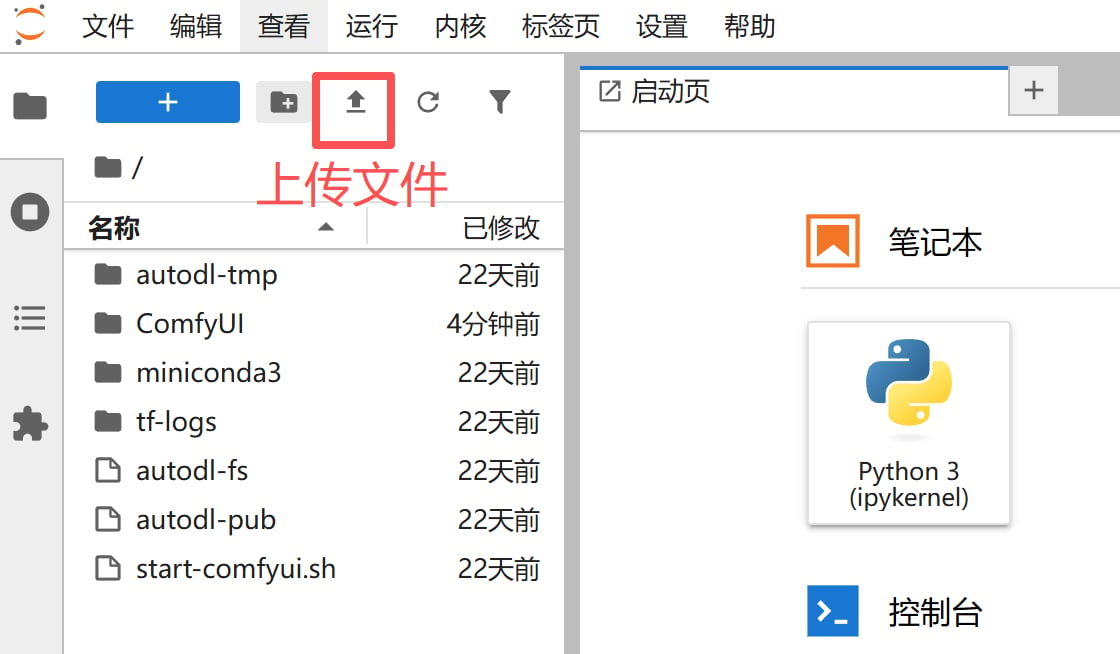
### 上传文件

<img src="https://mintcdn.com/aa-55ff8824/VG8hMr-DV2gD-Mi8/images/instance/image_2025-11-27_163212_309.png?fit=max&auto=format&n=VG8hMr-DV2gD-Mi8&q=85&s=25d9ed7df31536227a64b66be78e2422" alt="image_2025-11-27_163212_309" width="1120" height="654" data-path="images/instance/image_2025-11-27_163212_309.png" />

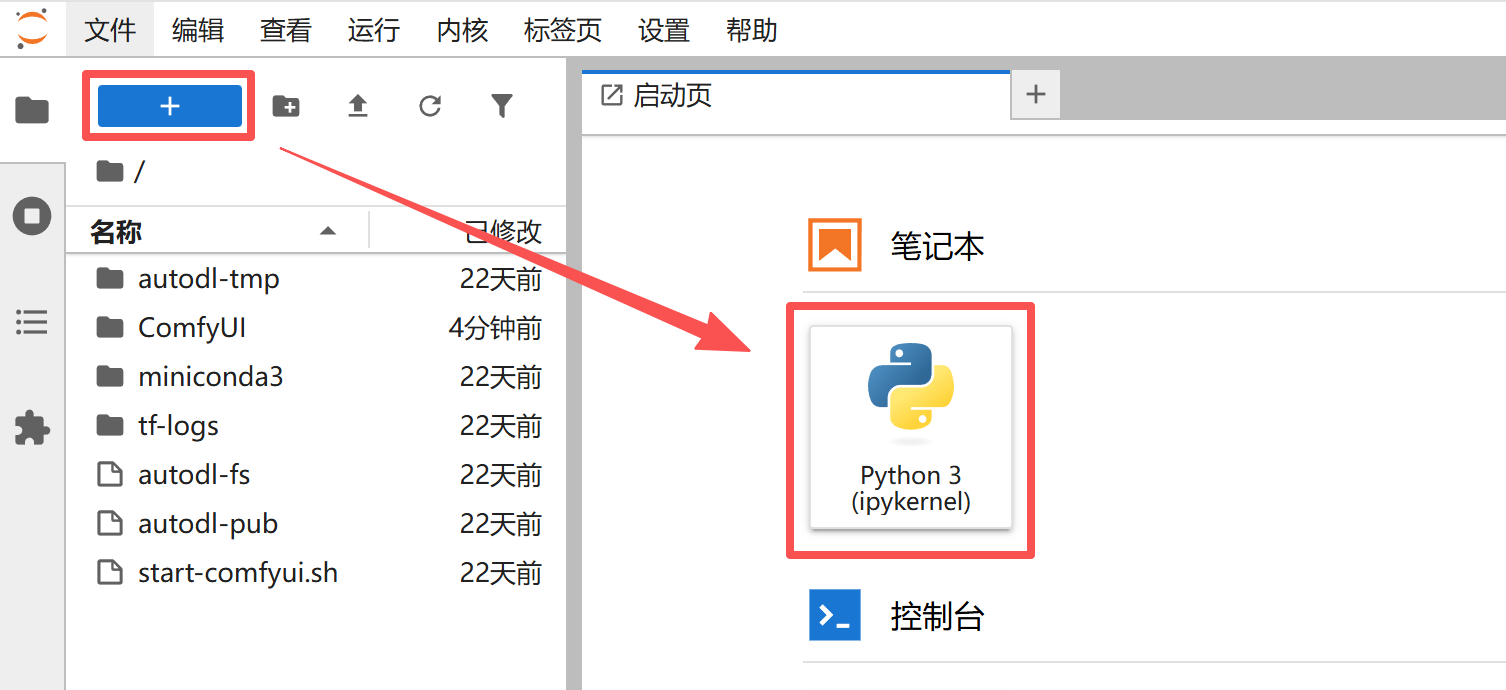
### 使用Notebook

<img src="https://mintcdn.com/aa-55ff8824/VG8hMr-DV2gD-Mi8/images/instance/image_2025-11-27_163251_054.png?fit=max&auto=format&n=VG8hMr-DV2gD-Mi8&q=85&s=1a4ee52b1f7bf03871f8e03167517717" alt="image_2025-11-27_163251_054" width="1506" height="690" data-path="images/instance/image_2025-11-27_163251_054.png" />

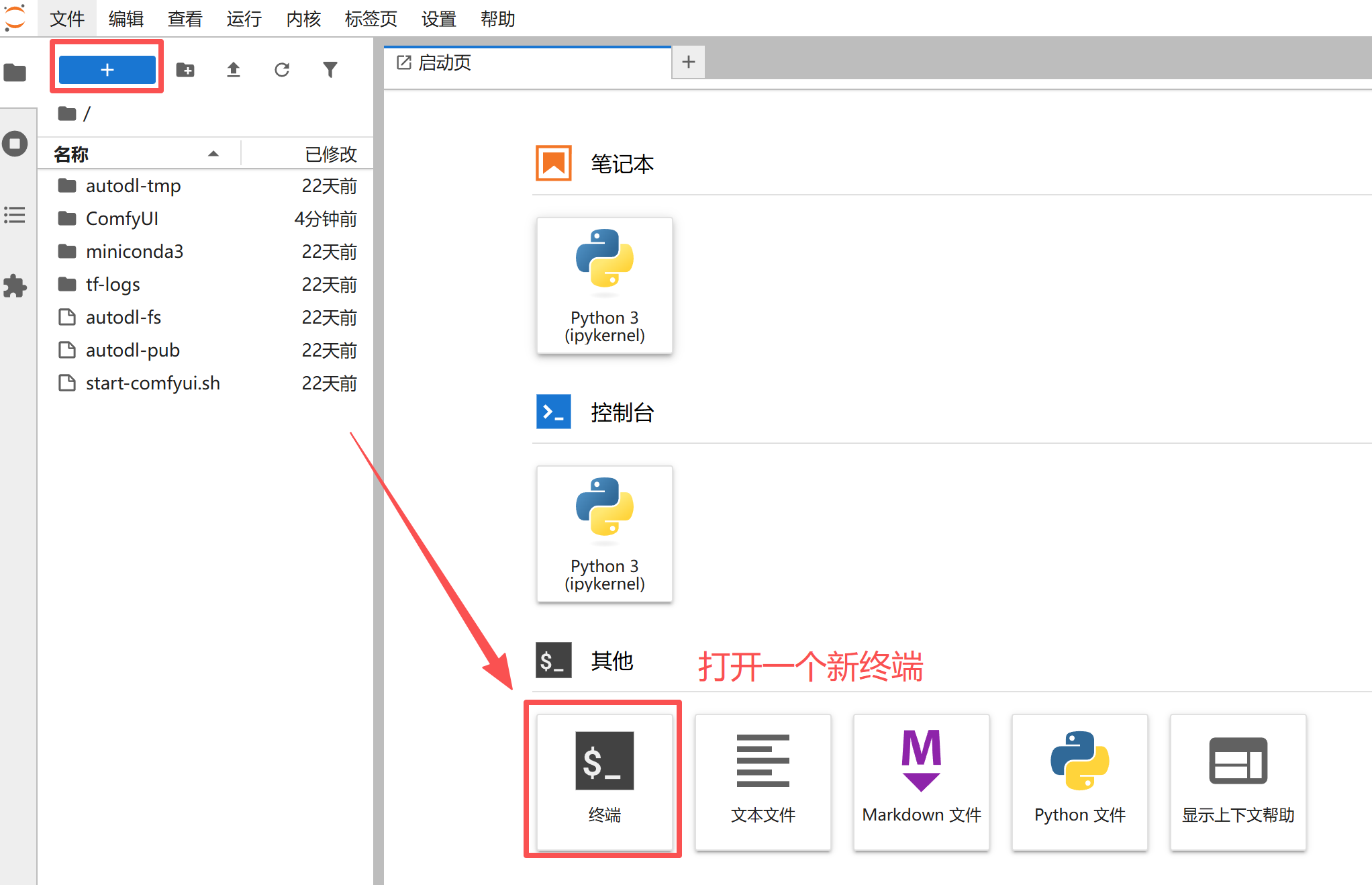
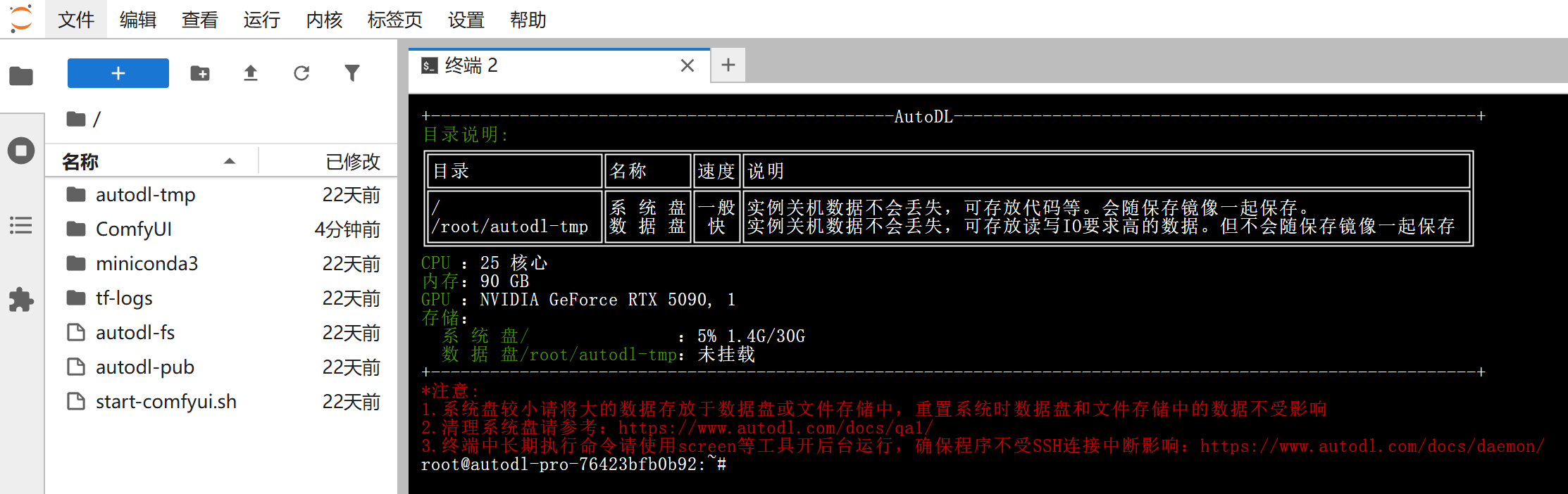
### 打开新终端

<img src="https://mintcdn.com/aa-55ff8824/VG8hMr-DV2gD-Mi8/images/instance/image_2025-11-27_163337_188.png?fit=max&auto=format&n=VG8hMr-DV2gD-Mi8&q=85&s=b755e7f3b6ed8b1e142857ce14d0043b" alt="image_2025-11-27_163337_188" width="2044" height="1318" data-path="images/instance/image_2025-11-27_163337_188.png" />

<img src="https://mintcdn.com/aa-55ff8824/VG8hMr-DV2gD-Mi8/images/instance/image_2025-11-27_163403_905.png?fit=max&auto=format&n=VG8hMr-DV2gD-Mi8&q=85&s=533fa4931ff270548fa3c922d377f704" alt="image_2025-11-27_163403_905" width="2226" height="702" data-path="images/instance/image_2025-11-27_163403_905.png" />

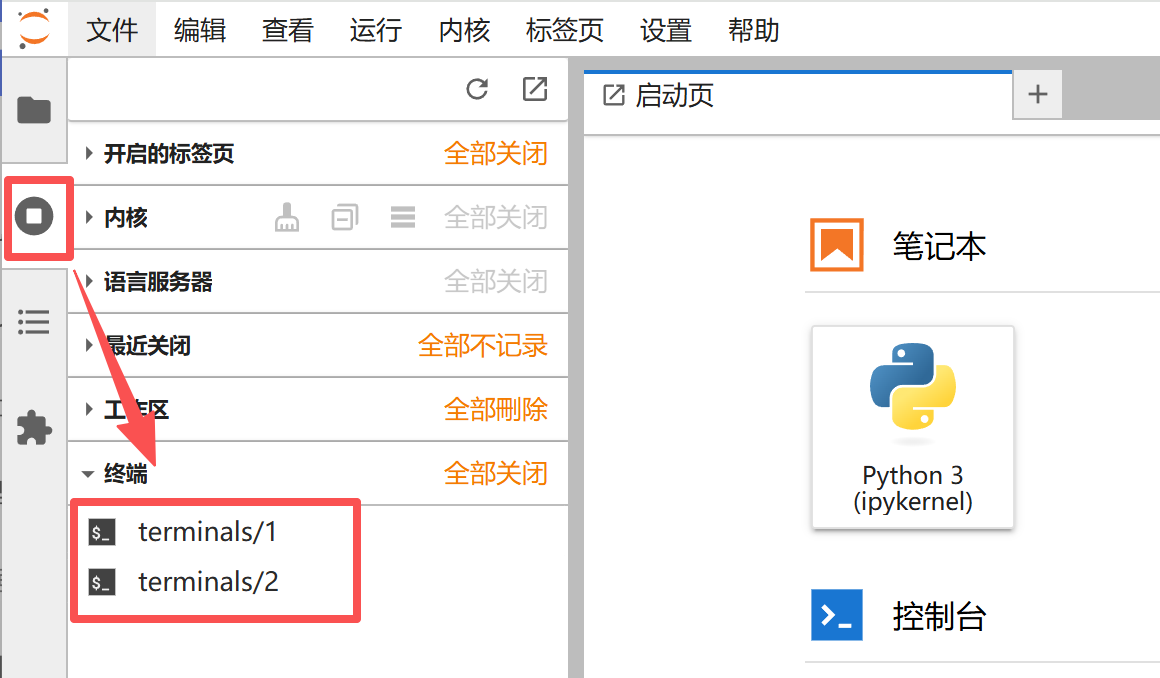
### 访问已打开的终端或Notebook

访问打开的终端或Notebook（JupyterLab在关闭终端/Notebook选项卡后默认不会终止，仍然在运行）

<img src="https://mintcdn.com/aa-55ff8824/VG8hMr-DV2gD-Mi8/images/instance/image_2025-11-27_163449_842.png?fit=max&auto=format&n=VG8hMr-DV2gD-Mi8&q=85&s=8041e2bad99f24775d7dc16ec18726bf" alt="image_2025-11-27_163449_842" width="1160" height="678" data-path="images/instance/image_2025-11-27_163449_842.png" />

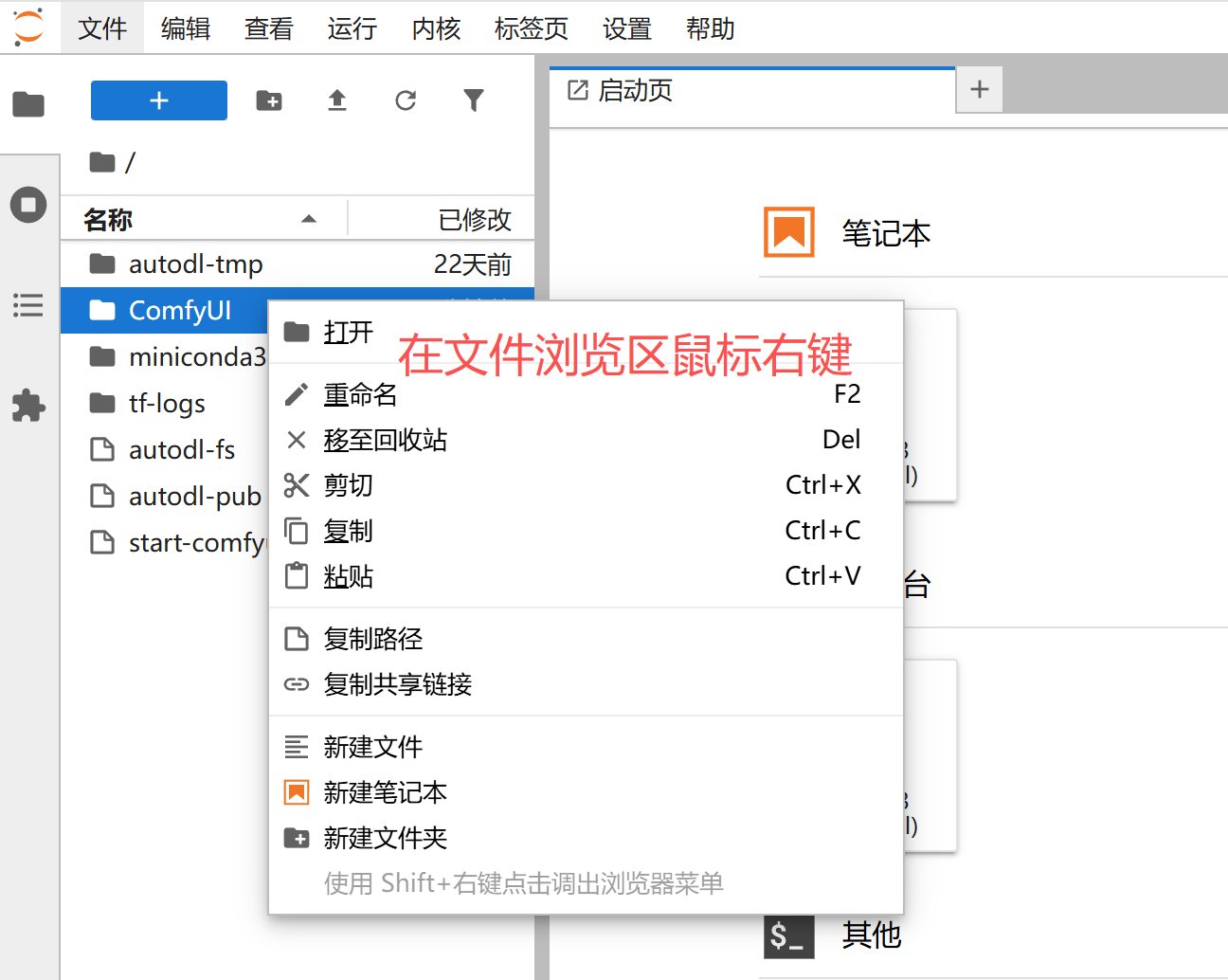
### 文件管理

<img src="https://mintcdn.com/aa-55ff8824/VG8hMr-DV2gD-Mi8/images/instance/image_2025-11-27_163745_138.png?fit=max&auto=format&n=VG8hMr-DV2gD-Mi8&q=85&s=bd912b193aa9d343a5a8d9a1b7e2109b" alt="image_2025-11-27_163745_138" width="1296" height="1034" data-path="images/instance/image_2025-11-27_163745_138.png" />

## 附：使用常见问题

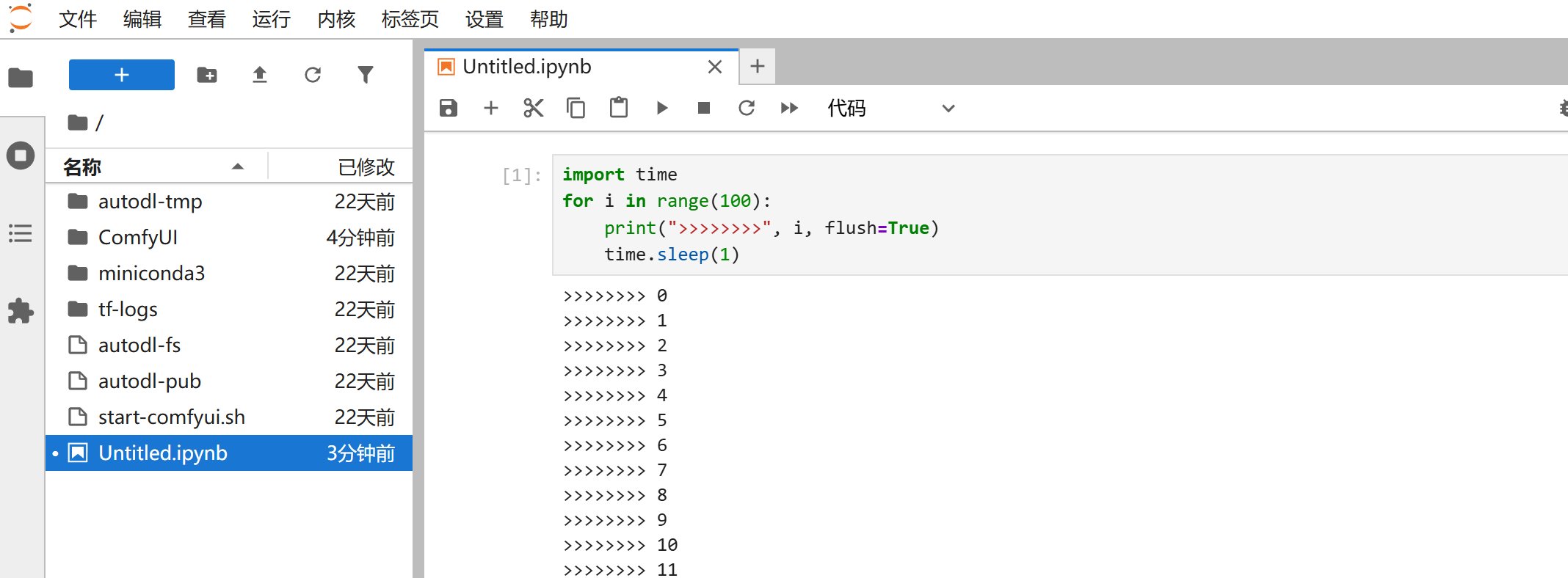
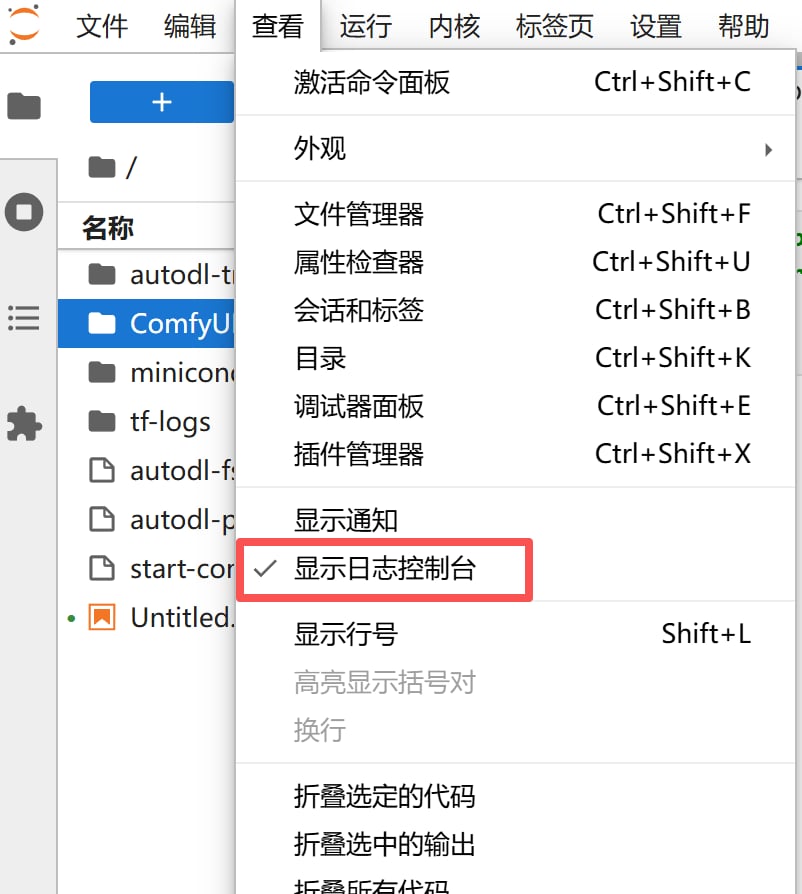
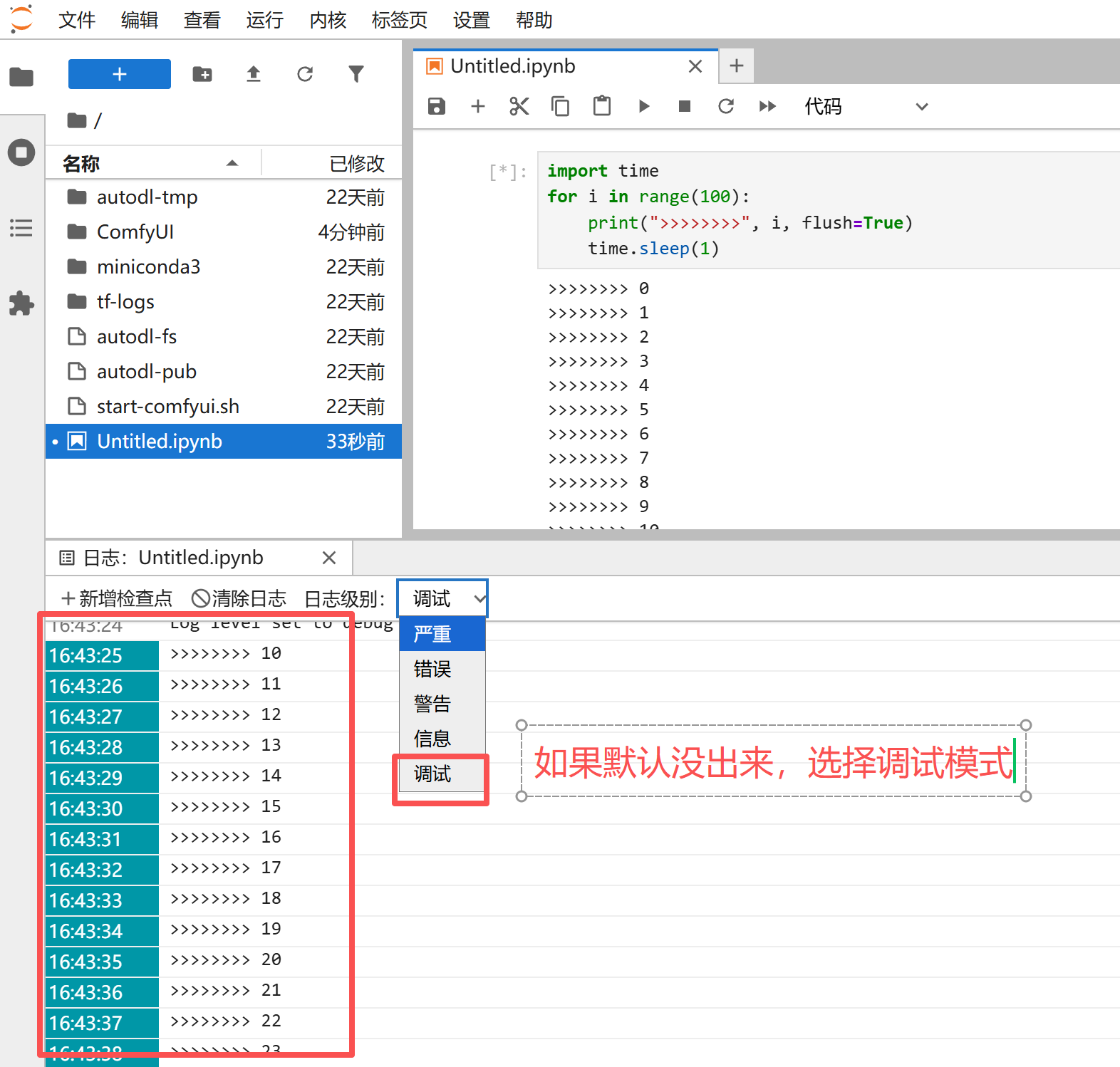
如果用Notebook跑程序的同学会发现，隔了一段时间Notebook的日志不更新了。此时可以使用「日志控制台」的功能查看日志，演示一遍过程：

如下一段程序执行起来后，刷新网页此时会发现日志不再更新

<img src="https://mintcdn.com/aa-55ff8824/VG8hMr-DV2gD-Mi8/images/instance/image_2025-11-27_164842_215.png?fit=max&auto=format&n=VG8hMr-DV2gD-Mi8&q=85&s=778d31a1e7795ca1aa317b89013c7bed" alt="image_2025-11-27_164842_215" width="2136" height="788" data-path="images/instance/image_2025-11-27_164842_215.png" />

打开日志控制台：

<img src="https://mintcdn.com/aa-55ff8824/VG8hMr-DV2gD-Mi8/images/instance/image_2025-11-27_164305_654.png?fit=max&auto=format&n=VG8hMr-DV2gD-Mi8&q=85&s=a6ae3388c163215017360619c63891cc" alt="image_2025-11-27_164305_654" width="802" height="894" data-path="images/instance/image_2025-11-27_164305_654.png" />

<img src="https://mintcdn.com/aa-55ff8824/VG8hMr-DV2gD-Mi8/images/instance/image_2025-11-27_164419_795.png?fit=max&auto=format&n=VG8hMr-DV2gD-Mi8&q=85&s=59a02bb907fb6d03c0f0b5caa8f97ea0" alt="image_2025-11-27_164419_795" width="1572" height="1498" data-path="images/instance/image_2025-11-27_164419_795.png" />