> ## Documentation Index
> Fetch the complete documentation index at: https://ijiajia.art/llms.txt
> Use this file to discover all available pages before exploring further.
# SSH
> SSH使用指南,专业选手必备
如果您是Windows用户,可以使用系统自带的Powershell/CMD登录,如果要更好的终端体验推荐下载使用[Cmder](http://autodl-public.ks3-cn-beijing.ksyun.com/tool/cmder_mini.zip)工具,免安装解压即用。或者使用[XShell工具](xshell.md)更佳 todo。
如果是Mac用户,可以使用系统自带的Terminal完成SSH登录。
## SSH登录
开机实例后,找到SSH登录指令
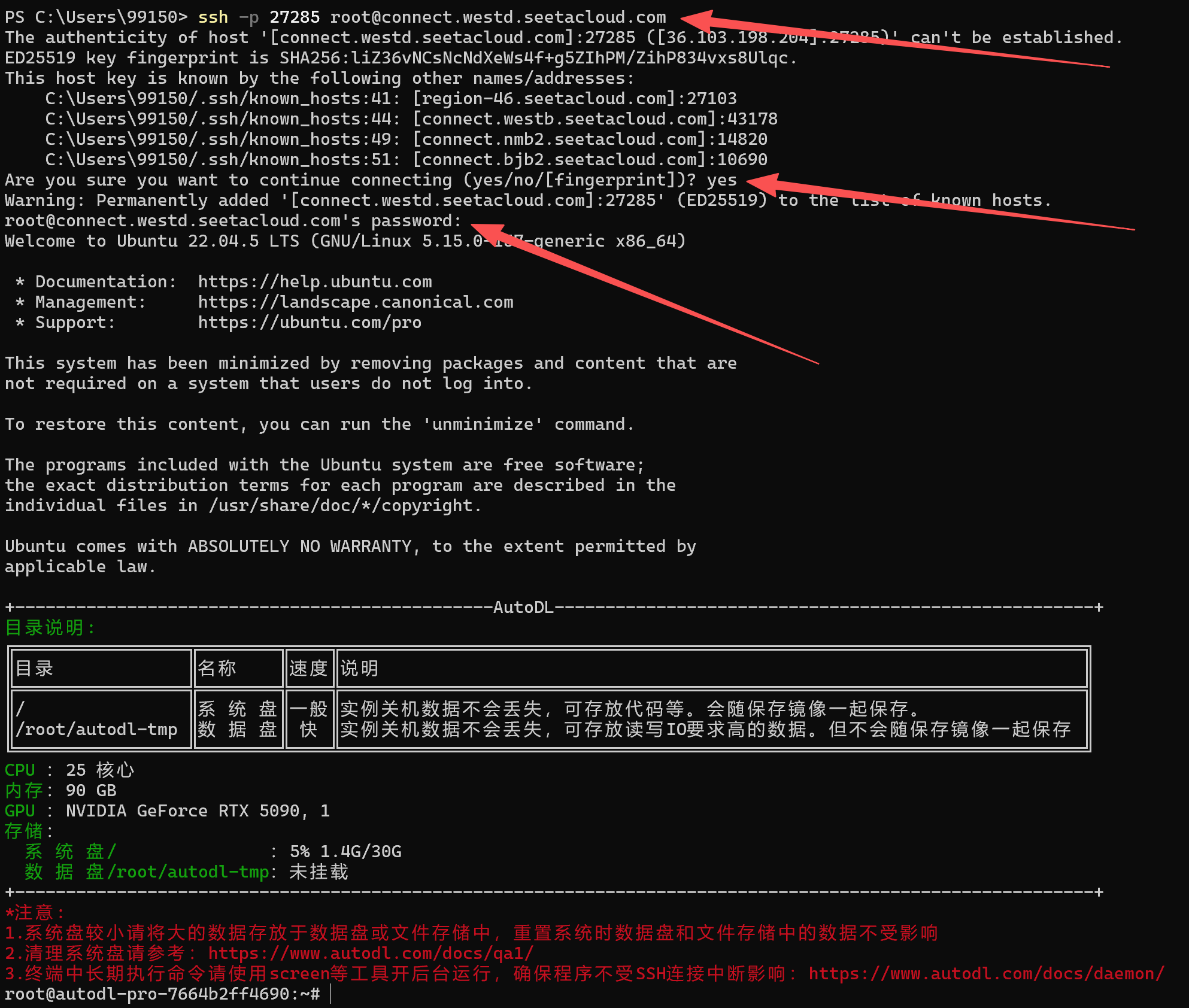
 复制您的SSH登录指令,这里演示使用的是:`ssh -p 27285 root@connect.westd.seetacloud.com`
在`ssh -p 27285 root@connect.westd.seetacloud.com`命令中, 各个参数的含义为:
用户名:root
主机host: connect.westd.seetacloud.com
端口号:27285
在您的本地终端中输入该命令,输入密码进行登录。(**注意:密码不会显示任何字符,正确输入或鼠标右击粘贴后回车即可**)
复制您的SSH登录指令,这里演示使用的是:`ssh -p 27285 root@connect.westd.seetacloud.com`
在`ssh -p 27285 root@connect.westd.seetacloud.com`命令中, 各个参数的含义为:
用户名:root
主机host: connect.westd.seetacloud.com
端口号:27285
在您的本地终端中输入该命令,输入密码进行登录。(**注意:密码不会显示任何字符,正确输入或鼠标右击粘贴后回车即可**)
 如果通过SSH登录后执行训练程序,请使用screen/tmux开守护进程,确保程序不受SSH连接中断影响程序执行! screen使用方法详见[守护进程](daemon.md)。todo更新链接