> ## Documentation Index
> Fetch the complete documentation index at: https://ijiajia.art/llms.txt
> Use this file to discover all available pages before exploring further.

# 快速开始

> 几分钟即可完成创建

## 3步创建自己第一个应用实例

<Note>AutoDL.art 应用中的数据（包括环境）在关机后将全部保存，开机后无需再次配置和上传数据。总而言之，实例在数据在，但是**连续关机60天**实例将被**释放**，释放前每天均匀**磁盘计费**。详见实例[数据保留规则](/app/data/data)。</Note>

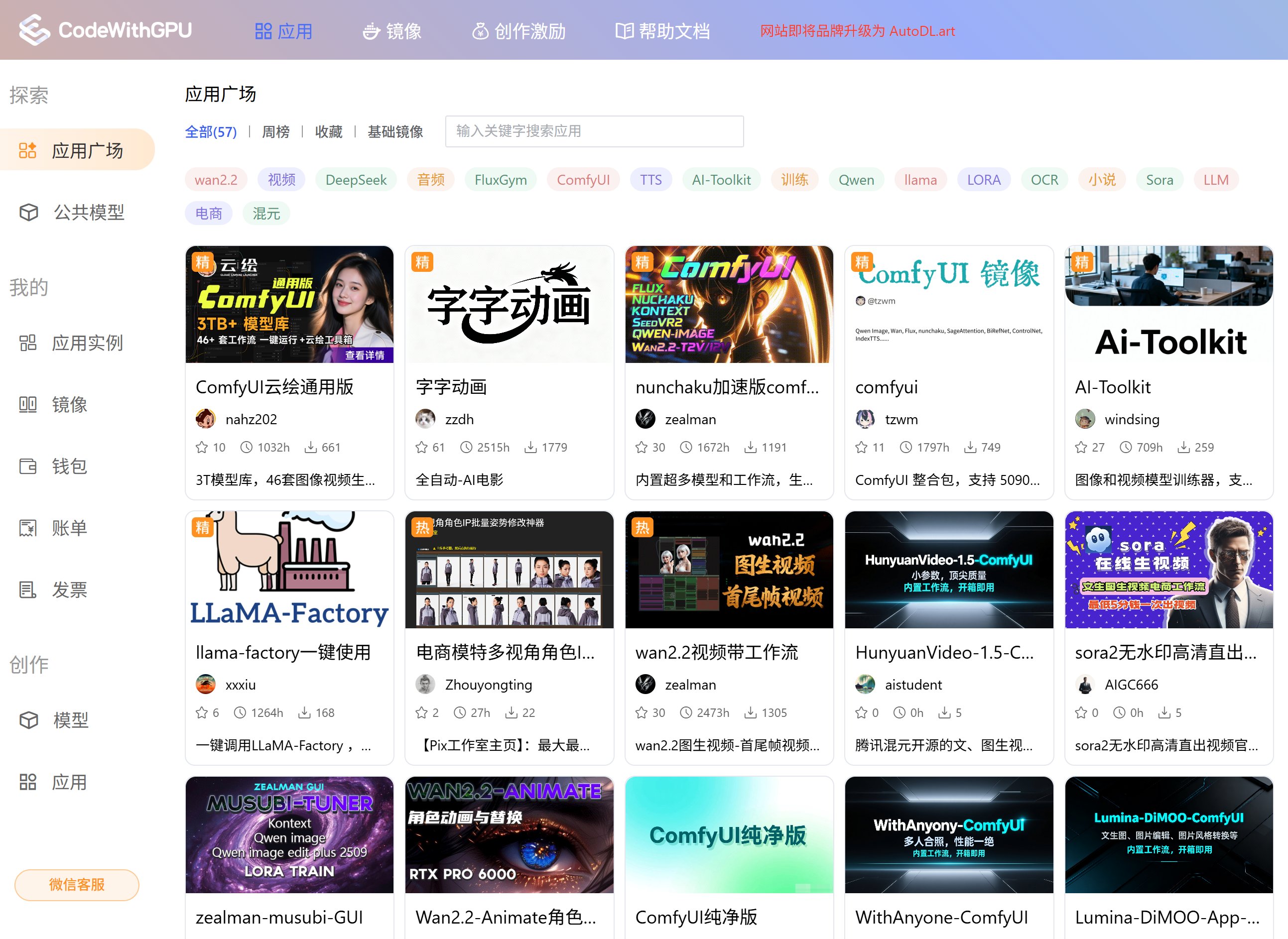
### Step 1: 选择应用

在「应用广场」选择自己需要的应用。点击「应用封面」可以看到应用作者提供的使用教程。

<Tip>强烈建议先阅读教程，按教程步骤进行操作。</Tip>

<img src="https://mintcdn.com/aa-55ff8824/VG8hMr-DV2gD-Mi8/images/start/image_2025-11-24_173833_766.png?fit=max&auto=format&n=VG8hMr-DV2gD-Mi8&q=85&s=0edadc43374a4040b5e9a8bcfc95c222" alt="image_2025-11-24_173833_766" width="2586" height="1886" data-path="images/start/image_2025-11-24_173833_766.png" />

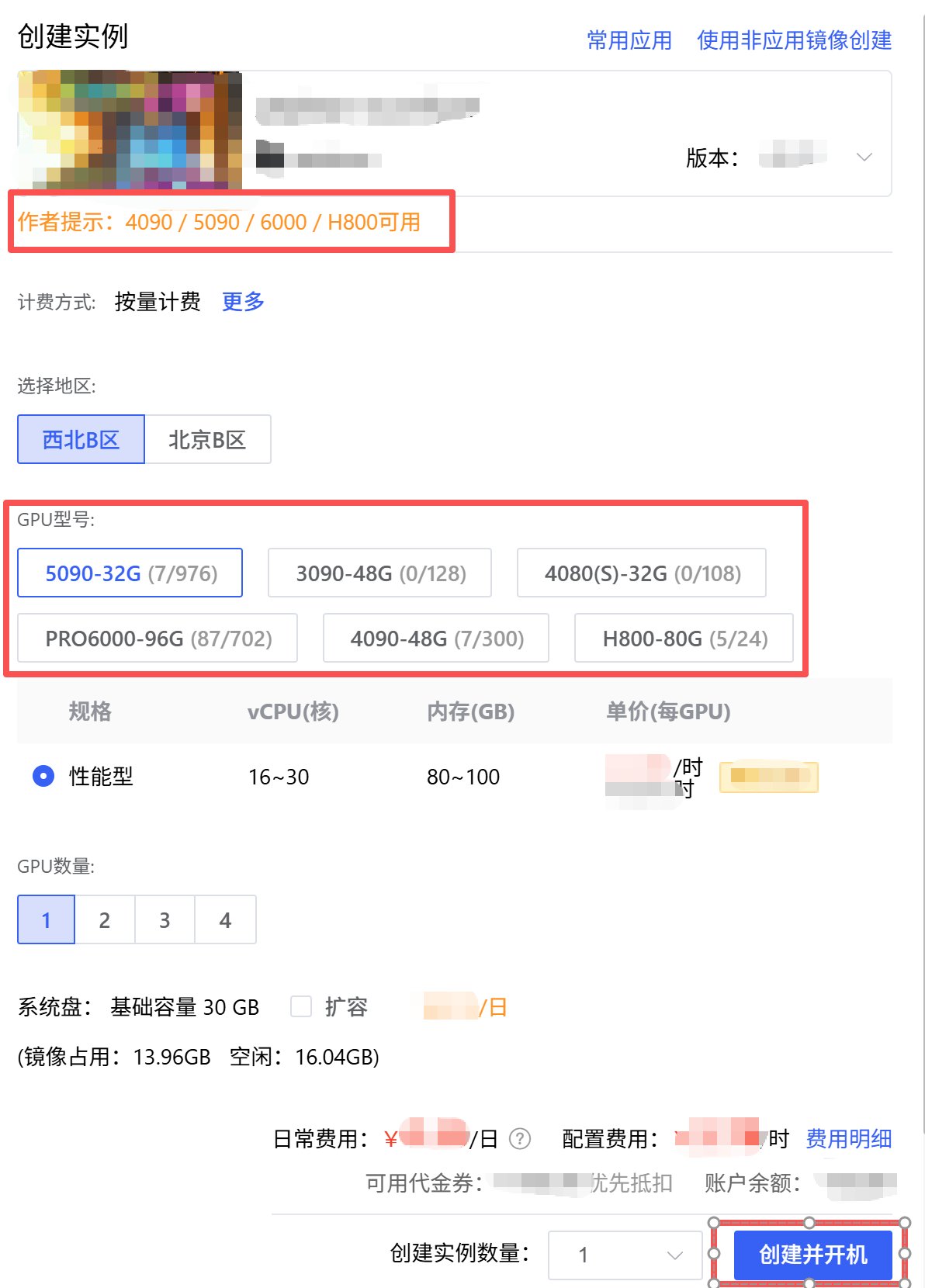
### Step 2: 选择机器

在右侧区域选择自己需要的机器配置，点击「立即创建」将自动创建应用并开机运行。

<Tip>请留意作者给的提示。</Tip>

<img src="https://mintcdn.com/aa-55ff8824/VG8hMr-DV2gD-Mi8/images/start/image_2025-11-24_174118_523.png?fit=max&auto=format&n=VG8hMr-DV2gD-Mi8&q=85&s=9dd1014953fd84071fd4b4a3c61b7562" alt="image_2025-11-24_174118_523" width="1192" height="1660" data-path="images/start/image_2025-11-24_174118_523.png" />

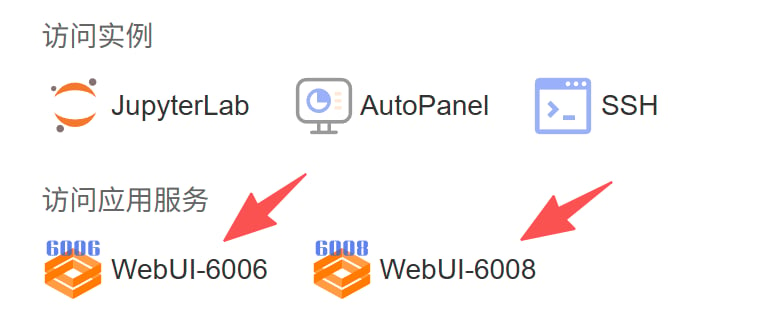
### Step 3: 开始使用

部署完成后，按应用教程「访问应用服务」即可立即使用。

<Tip>应用具体使用前建议先详细阅读应用教程。服务启动可能需要几秒钟，假如打开报错可以过几秒后重试。</Tip>

<img src="https://mintcdn.com/aa-55ff8824/VG8hMr-DV2gD-Mi8/images/start/image_2025-11-24_174155_359.png?fit=max&auto=format&n=VG8hMr-DV2gD-Mi8&q=85&s=a6a127782f5a1bdbef12bf2d32a00314" alt="image_2025-11-24_174155_359" width="770" height="330" data-path="images/start/image_2025-11-24_174155_359.png" />