> ## Documentation Index
> Fetch the complete documentation index at: https://ijiajia.art/llms.txt
> Use this file to discover all available pages before exploring further.

# Cherry Studio

> 系统盘的扩容与缩容

<Note>
  实例系统盘无论实例是否开机运行均会在每日产生费用，扩容盘也会按每天最高扩容容量计费，详见[计费规则](/app/expense/price)。
</Note>

扩容缩容均需要在关机状态下进行。

## 扩容

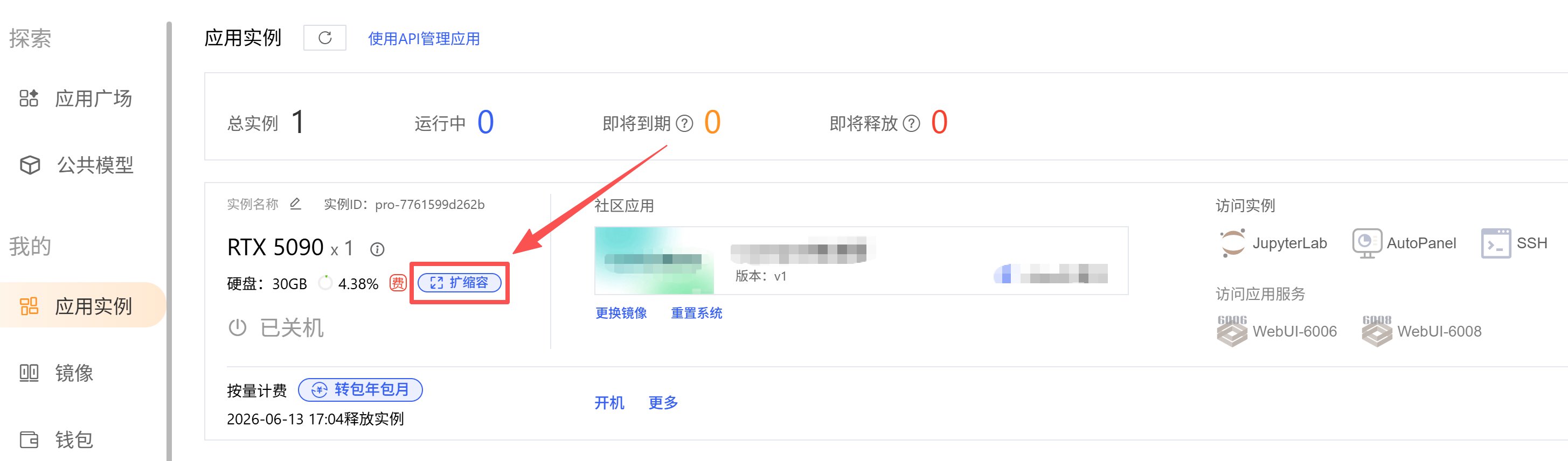
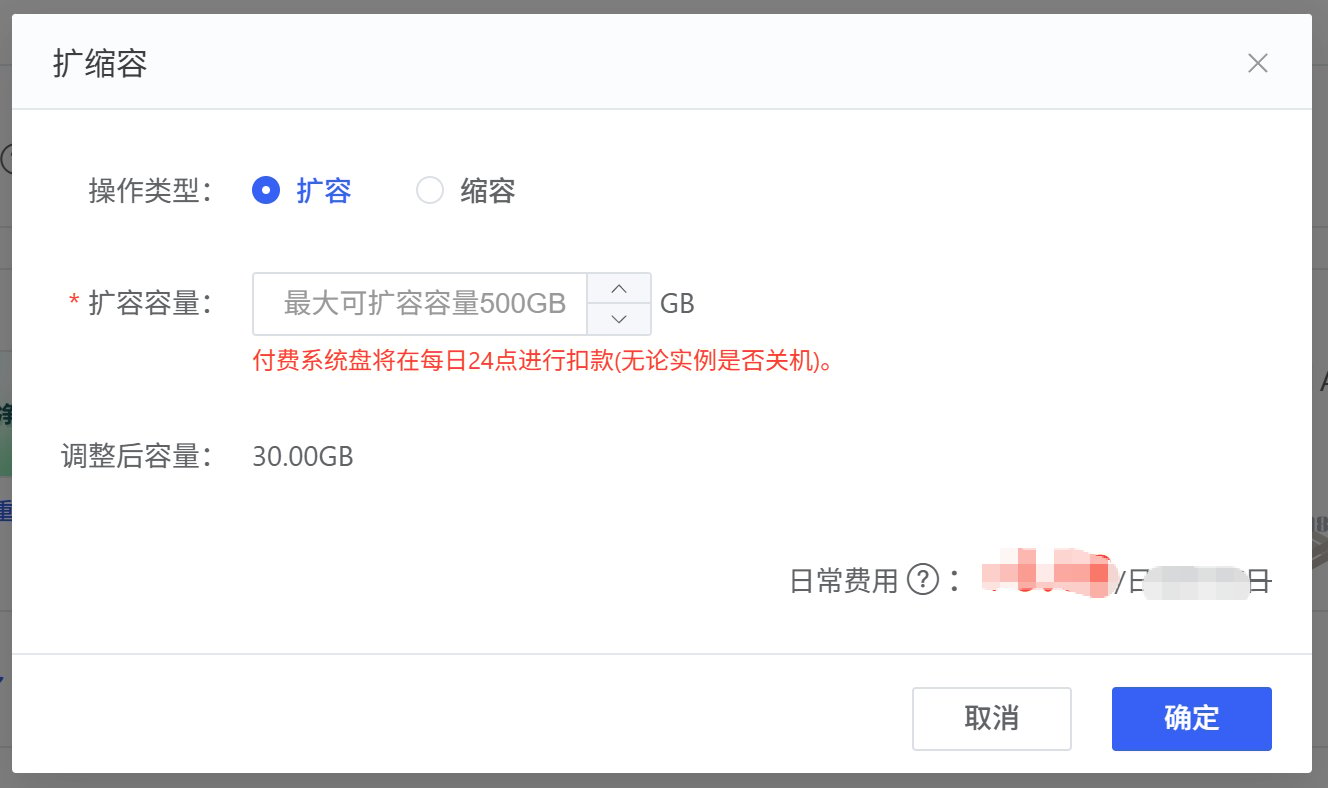
点击「扩缩容」，然后在弹窗里设置扩容容量。

<img src="https://mintcdn.com/aa-55ff8824/VG8hMr-DV2gD-Mi8/images/data/image_2026-04-14_171335_076.png?fit=max&auto=format&n=VG8hMr-DV2gD-Mi8&q=85&s=501c04ae92f34c0b349977f32ba966fc" alt="image_2026-04-14_171335_076" width="2910" height="856" data-path="images/data/image_2026-04-14_171335_076.png" />

<img src="https://mintcdn.com/aa-55ff8824/VG8hMr-DV2gD-Mi8/images/data/image_2026-04-14_171429_342.png?fit=max&auto=format&n=VG8hMr-DV2gD-Mi8&q=85&s=c668a7a63242ba4be238f2ebb6e011c5" alt="image_2026-04-14_171429_342" width="1328" height="788" data-path="images/data/image_2026-04-14_171429_342.png" />

## 缩容

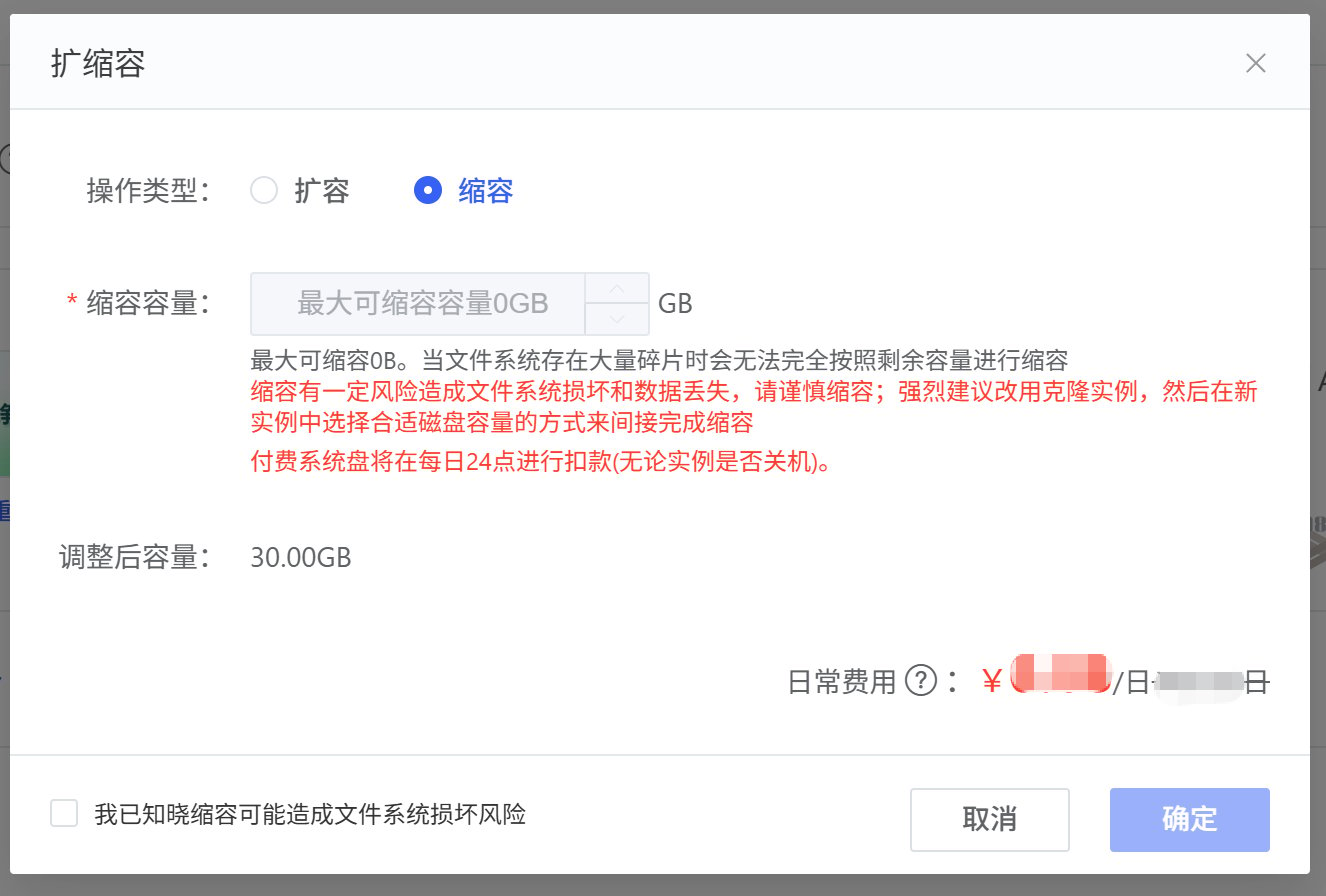
点击「扩缩容」，然后在弹窗里设置缩容容量。

<Danger>
  缩容有一定风险造成文件系统损坏和数据丢失，请谨慎缩容；强烈建议改用克隆实例，然后在新实例中选择合适磁盘容量的方式来间接完成缩容。比如：

  实例扩容70G后共计100G，目前只使用60G，想要缩容40G。推荐做法：克隆一个新实例，新实例只扩容30G，克隆完成检查数据无误后释放源实例。
</Danger>

<img src="https://mintcdn.com/aa-55ff8824/VG8hMr-DV2gD-Mi8/images/data/image_2026-04-14_171450_788.png?fit=max&auto=format&n=VG8hMr-DV2gD-Mi8&q=85&s=ac700d107c523b68312b101fadc5d066" alt="image_2026-04-14_171450_788" width="1326" height="896" data-path="images/data/image_2026-04-14_171450_788.png" />